
Best CRM Software for Small Businesses in Australia
How to compare CRM platforms and pricing before you commit
Off-the-shelf CRMs make your team work their way. We build custom CRM software around your workflow, with sales pipelines, marketing automation, clean integrations and reporting your reps will actually use every day.
Trusted by teams worldwide





Before you compare CRM software or sit through another demo, it helps to agree on what a CRM system actually is and what it is supposed to fix.
CRM stands for Customer Relationship Management. The term covers two things at once: the practice of managing how a business wins and keeps its customers, and the CRM software that makes the practice possible. When someone asks for the CRM meaning in a business conversation, they almost always mean the software.
A CRM system is a single shared record of every customer and lead. It holds the contact details, but more importantly it holds the story. The enquiry that arrived through your website, the call a rep made on Tuesday, the quote you sent, the objection that stalled the deal, the invoice, the support ticket six months later. Without a CRM, that story lives in one person's inbox and walks out of the door when they do.
That is the real problem CRM software solves. Most teams do not lose deals because the product is wrong. They lose them because a follow-up was forgotten, a lead sat unassigned for four days, or two reps called the same company quoting different numbers. A CRM system removes the guesswork by making the history visible and the next action obvious.
For a growing business the payoff compounds. Leadership gets a forecast built on pipeline data instead of optimism. Marketing sees which campaigns produced revenue, not just clicks. Support answers with the full account history on screen. And when someone resigns, their accounts stay with the company. That is why CRM is often the second system a business invests in after accounting, and why it usually ends up connected to an ERP system once operations get complex.

Every lead has an owner, a next step and a due date. Nothing waits on someone remembering.
Pipeline value drawn from real stage data, not a spreadsheet rebuilt the night before the board call.
Attribution from first touch to closed revenue, so budget follows the campaigns that actually sell.
When a rep leaves, the accounts, history and context stay with the business instead of leaving with them.
Every CRM demo opens with contacts and a pipeline. These five features are the ones that decide whether the system pays for itself or quietly gets abandoned.

Marketing automation is your CRM turning data into action without anyone pressing send. A lead downloads a pricing guide, gets scored, enters a nurture sequence and lands on a rep's task list the moment they open the third email. Nobody built that list by hand, and nobody forgot to send it.
Automation lets you be timely at a scale people cannot match. A welcome sequence that goes out in minutes rather than days. A renewal reminder 60 days before expiry. A quiet re-engagement note to accounts that have gone cold. Each touch is small and relevant, and relevance is the whole difference between useful follow-up and noise.
A standalone email tool only knows what a contact clicked. Automation running on your CRM knows what they bought, which stage their deal sits in and whether support is handling a complaint right now. That context prevents the expensive mistakes, like sending an upsell campaign to an account that is mid-escalation.
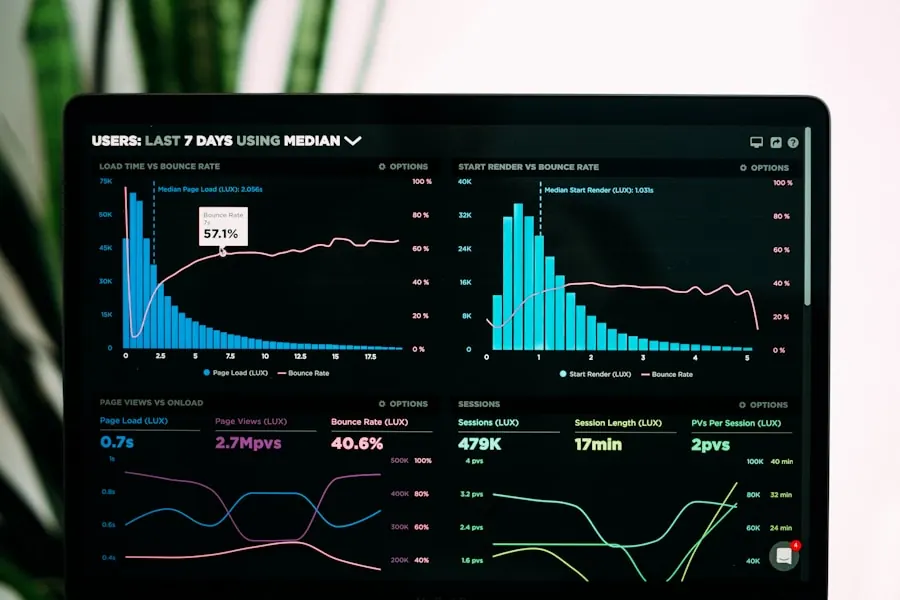
A CRM is only as useful as the data inside it. Centralised data management is the unglamorous feature that decides whether your team trusts the system or quietly drifts back to spreadsheets within a quarter.
When the same company exists three times under three spellings, every number you report is wrong and every rep works from a different version of the truth. Deduplication, validation rules and required fields at the point of entry keep one customer as one record, which is what makes the reporting downstream worth reading.
Good CRM software structures information before it turns into a mess: consistent field types, picklists instead of free text, clear ownership rules and an audit trail on every change. We also spend time deciding what not to capture, because a form with 30 fields is a form reps will skip.

Sales usually gets the CRM budget, but support generates the renewals. Putting service tools in the same system as the sales record is what turns a CRM from a pipeline tracker into a genuine customer relationship platform.
Nothing erodes goodwill faster than asking a customer to explain their problem for the third time. When support opens a ticket and sees the full account history, what they bought, what was promised during the sale and every prior issue, the conversation starts halfway to resolved.
Enquiries arrive by email, WhatsApp, phone and web form. A CRM captures them all as tickets against the right account, routes them by product or priority, runs SLA timers and escalates before a deadline slips. Leadership sees response times per team rather than guessing at them.
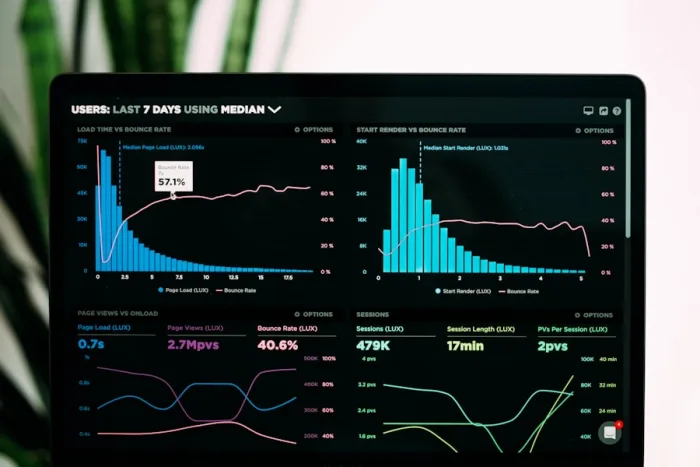
Tracking is what separates a CRM system from a contact list. Once every deal carries a stage, a value and a date, patterns appear that no amount of end-of-month reporting would have surfaced.
Conversion rate by stage shows you where deals actually die. Average time in stage shows which step is slow. Win rate by lead source shows which channels deserve more budget and which have been flattering themselves for a year. These are the reports that change decisions rather than decorate a slide.
Reporting closes the loop back into daily work. Stale deals surface automatically, reps see their own numbers without asking, and managers coach on evidence instead of instinct. Across the CRMs we have shipped, that combination is what drives the 35 percent shorter sales cycles further down this page.

A CRM that does not talk to your other systems just becomes one more place to type. Integration is the feature most teams underestimate at purchase and regret within six months.
If a platform like Zoho CRM or Odoo already covers most of your process, extending it usually beats replacing it. We connect email and calendar, telephony, WhatsApp, accounting, payment gateways and support tools through their APIs. Our API development and integration and Odoo teams handle the connections that vendors list as unsupported.
One source of truth, no double entry and no reconciliation spreadsheet at month end. A closed deal creates the invoice, the invoice updates the account, and support sees the payment status without leaving the record. Data flows both ways, so no system ends up quietly out of date.
Marketing automation, clean centralised data, support tools, honest sales reporting and real integrations. Those five features are what turn CRM software from a licence you pay for into a system your team opens first thing every morning. A platform that ticks four of them and fails the fifth will cost you more in workarounds than the licence ever saved.
The right choice depends on your process, your team size and how much of your workflow is genuinely unusual. We will tell you honestly when Zoho CRM, HubSpot or Odoo is the better answer, and we only recommend a custom CRM when the platforms leave real value on the table.
From a single sales team to a company-wide platform. Six service lines cover every part of planning, building and adopting a custom CRM.
Six engineering disciplines behind every CRM we ship, and the tools we use for each.

Every contact, deal, email, call, support ticket and note in one clear timeline your whole team can see.

Pipeline stages that match how you really sell, with forecasting and stage automation.

Automate follow-ups, reminders, assignments and approvals so nothing slips through.
Capture, score and nurture leads with email campaigns and smart segmentation.

Connect email, telephony, WhatsApp, ERP, accounting and payments, synced both ways.

Real-time dashboards, forecasts and custom reports, with role-based access and mobile CRM.
A short call and a look at your current sales process and tools shows you exactly where deals leak, what to automate and how a custom CRM would fit. So your first dollar goes toward something your team will actually use.
Get Your Free AuditFree · No obligation · Delivered within 48 hours

A clear, low-risk process that keeps your team in the loop at every step.
We map your sales process, teams, data and tools, then agree a fixed quote.
Data model, pipeline stages, roles and screens designed around your workflow.
We build the CRM and connect your email, telephony and other systems in sprints.
We migrate and clean your data, then test every workflow in a safe sandbox.
Go live with hands-on training, documentation and ongoing support.
Faster deals once pipelines, follow-ups and reminders run on their own.
Less manual data entry means more time selling, every single week.
Deduplicated, validated records your team can finally trust.
Timely follow-ups and full customer history keep clients longer.
Products we have shipped across digital health, streaming and voice AI, plus a solution showcase that connects voice calls to Odoo.
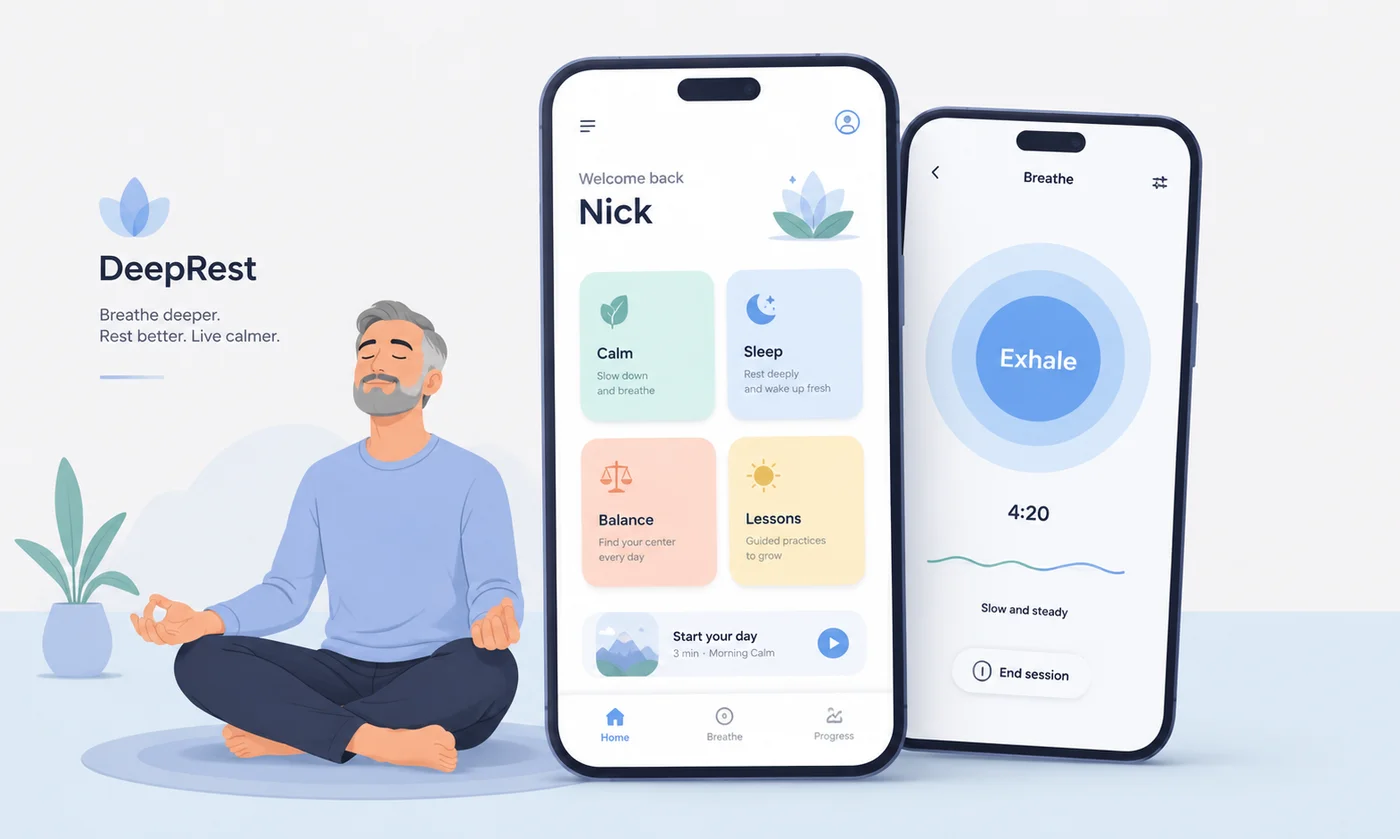
Paced breathing, a 21-day anxiety reset and night-time audio that keeps working on a bad connection.
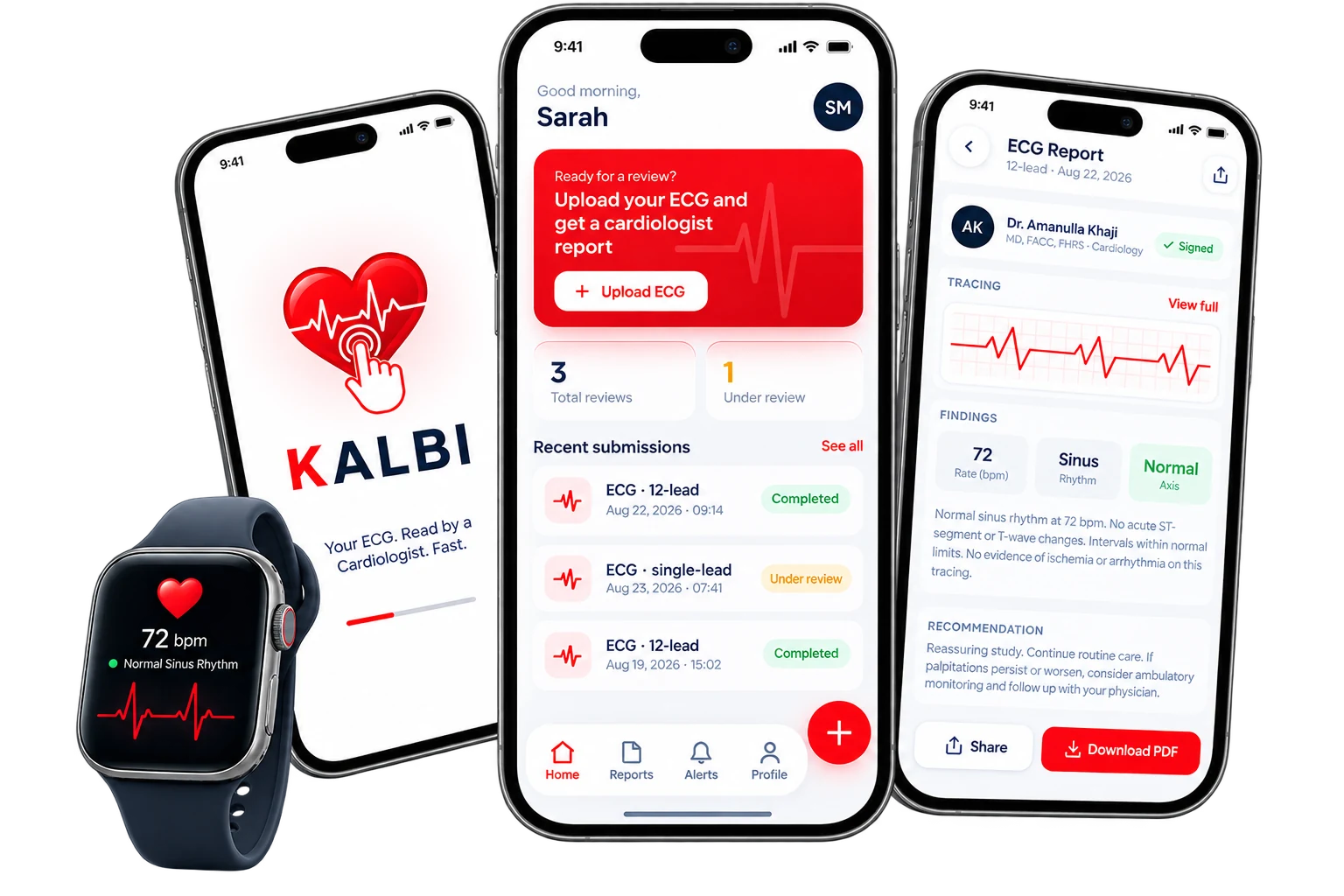
Patients upload an ECG from their phone and a cardiologist returns a signed report inside 24 hours.

100+ live channels, movies and sport across mobile, web and connected TV, with one billing spine behind it.
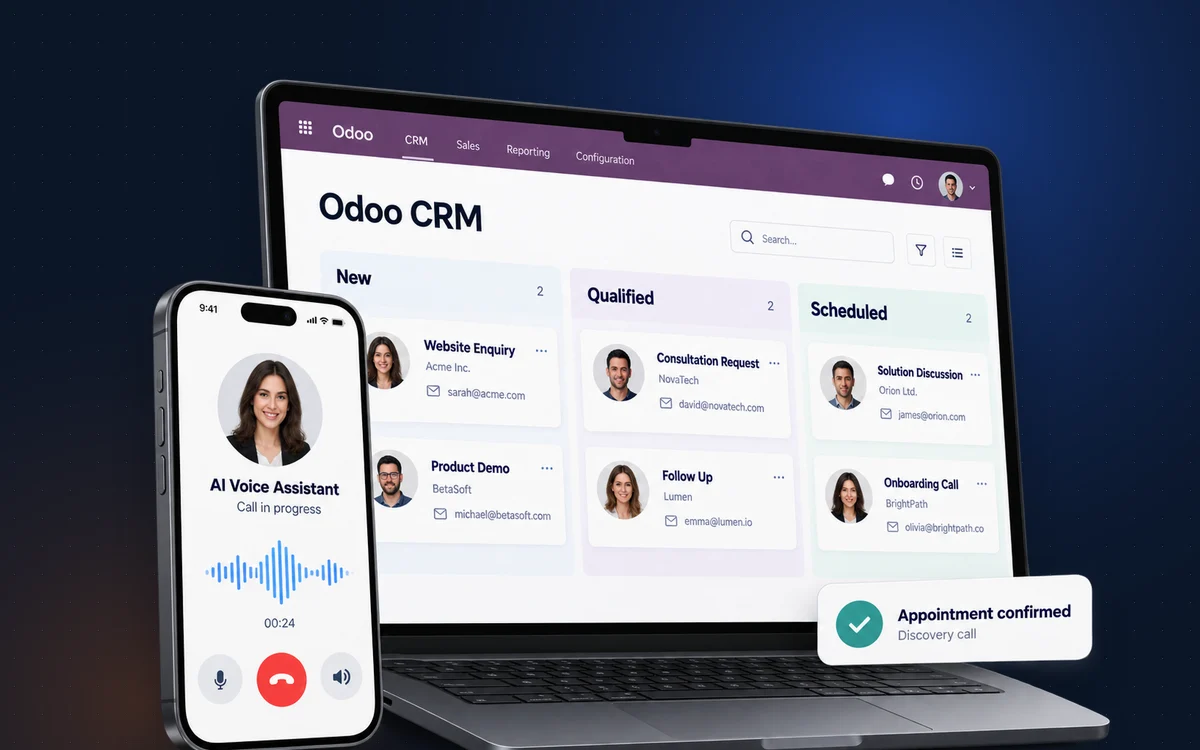
Voice calls connected to Odoo CRM and ERP: identity checks first, a verified order status read from the record, and a clear route to a person.
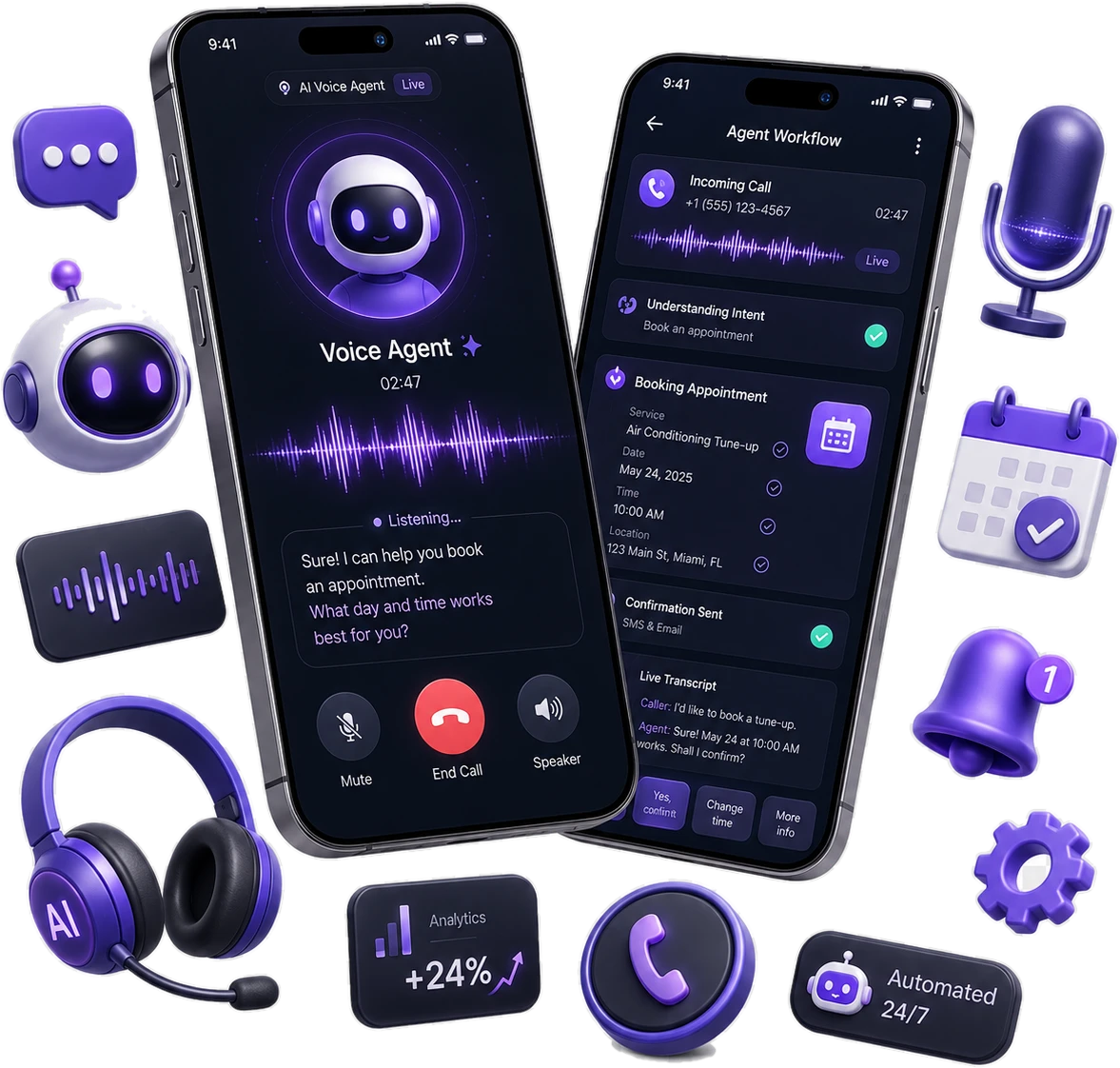
A HIPAA-ready voice agent that answers every patient call, books into the clinical system and hands over to a person when it should.
 React
React Next.js
 Node.js
 Python
 PostgreSQL
 GraphQL
 AWS
AWS Redis
Redis Twilio
 WhatsApp API
 Stripe
 Zapier
 Elasticsearch
 Docker
Every bullet is something we've actually shipped, not a sales pitch.

Lead-to-close CRMs for agents, brokers and brokerages.

Deal pipelines for services and sales-led teams.
Compliant CRMs for advisors, brokers and lenders.

Patient-friendly CRMs for appointments and follow-up care.

CRMs that connect sales, inventory and orders.

Client CRMs for pipelines, projects and retainers.
Vision 2030 has pushed almost every sector in the Kingdom toward digital, paperless and transparent operations. A CRM bought off a global price list rarely survives contact with that reality.
Selling in Saudi Arabia comes with requirements a generic CRM system was never designed around: Arabic interfaces that read right to left, Hijri dates alongside Gregorian, VAT and Zakat handling, ZATCA e-invoicing, and a sales culture that runs on WhatsApp long before it reaches email. We build those in from the first sprint rather than bolting them on after go-live.
If your operations already run on Odoo, our Odoo ERP implementation guide for Saudi Arabia covers the compliance side in detail, and the same team handles the CRM layer on top.

Full right-to-left layouts, Arabic field labels and bilingual records, so Riyadh and head office read the same data in their own language.
When quotes and invoices live in the CRM, we integrate ZATCA Phase 2 clearance so a closed deal produces a compliant invoice without a second system.
Tax logic applied at the quote stage, so what your rep sends the customer matches what finance later reports.
Where the Personal Data Protection Law means customer data must stay in the Kingdom, we deploy to in-Kingdom cloud regions and design for it upfront rather than retrofitting.
Conversations captured against the right account automatically, because most Saudi buyers will message before they ever fill in a form.
Follow-ups, renewals and reporting periods that respect both calendars, plus Ramadan and Hajj scheduling your reps do not have to work around manually.
“Appther built our student competition app exactly the way we envisioned it: easy registration, smooth judging, and real-time results that keep participants engaged.”

“Building a mental health app means every detail has to be handled with care, and Appther got that from day one. The product feels warm, simple, and genuinely helpful.”

“Appther exceeded every expectation, on time and on budget, and the final product has been instrumental in scaling our business. A rare engineering partner.”

“Implementing an ERP across our operations felt daunting at first, but Appther made the transition seamless. Every department now works off a single source of truth.”

Field notes from real builds. No hype, just what worked and what didn't.
How to compare CRM platforms and pricing before you commit
Lead scoring, personalised journeys and churn prevention in practice
Where generative AI changes sales, support and marketing workflows
Feature and ROI comparison to see which platform fits your workflows
Walk away from one call with a clear CRM plan, the right pipeline and automation design, a realistic budget range and a delivery timeline. No pitch deck, no obligation.
Keep exploring
Industries we build this for
Tell us how your team sells and what you need to track. No sales pitch, just a straight answer on approach, scope, timeline and cost.
Fields marked * are required. We reply within one business day.