VOICE AI × ENTERPRISE SYSTEMS

Every conversation.
A business action.Connected.

Bring the power of Voice AI to Odoo. Turn customer calls into verified answers, captured leads and the right next step.
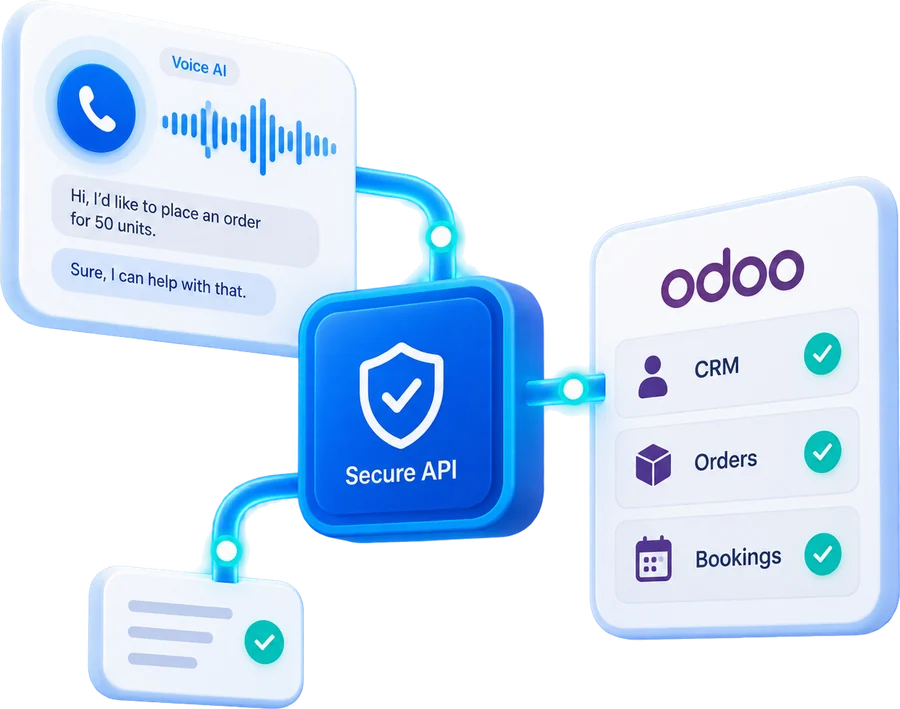
Odoo CRM & ERPControlled actionsHuman handover
A Voice AI call panel connected through a secure API to Odoo CRM, Orders and Bookings
Illustrative interface · synthetic data
THE CONNECTIONVoice AI + Odoo
THE FOCUSService & operations
THE APPROACHAPI-led integration
THE STARTING POINTA focused pilot
01 / THE OPPORTUNITY

Your customers call.
Your team connects the dots.

Looking up an order. Creating a lead. Writing a call note. The conversation is only the beginning of the work.

01

Too much switching

Staff move between calls, customer records and operational systems to answer one question.

02

Details get lost

Follow-ups depend on someone capturing the right information after the call.

03

Enquiries wait

After-hours requests and busy periods can leave customers waiting for a next step.

THE OPPORTUNITYConnect the conversation to the system of record.
02 / CONNECTED CAPABILITIES

More than answering.
Moving work forward.

Start with the workflows that matter most. Each action is scoped to your business rules and access permissions.

Know the customer

Find the right Odoo record and apply identity checks before sharing information.

CUSTOMER RECORDS

Capture the opportunity

Turn an enquiry into a structured lead, with context for your sales team.

CRM

Answer order questions

Retrieve authorised order details and explain the verified status to the caller.

SALES

Book the next step

Check available slots and record an appointment after customer confirmation.

APPOINTMENTS

Keep support moving

Create a ticket with the issue, customer details and conversation context.

HELPDESK

Remember the conversation

Save a concise call summary and assign the right follow-up activity.

NOTES & ACTIVITIES
03 / FOLLOW A CALL

One question.
A complete workflow.

Step through an illustrative order-status enquiry, from the first hello to the final record.

01The call arrivesAnswered on the number you already publish.
02Intent understoodThe agent works out what is being asked for.
03Caller verifiedIdentity checks match them to a customer record.
04Odoo answersA scoped tool reads the record. Odoo stays the source.
05Result recordedThe caller hears it, and the record keeps the context.
EXAMPLE CONVERSATION01 / 04
“Can you check the status of my order?”

The agent identifies an order-status request and asks for the information needed to continue.

DETECTED INTENTOrder status enquiryReady for verification
04 / THE ARCHITECTURE

A natural conversation.
A controlled connection.

Voice AI requests. Appther validates. Odoo executes.

VOICE LAYER

Listen & understand

Telephony · Voice agent
Conversation context

Action
request
APPTHER INTEGRATION LAYER

Verify & act

AuthenticationPermissionsApproved tools
The control point
Validated
tool call
odoo
BUSINESS SYSTEMS

Retrieve & update

CRMSalesHelpdeskAppointmentsActivities
Audit logsMonitoringRequest validationHuman escalation

Reference architecture. Provider, modules and API access are confirmed during discovery.

05 / THE STACK

What the agent
is built on.

A Google speech stack for the conversation, Twilio for the line, and a Python layer that decides what the agent is allowed to ask Odoo for.

Scroll or use the arrows
CONVERSATION
  • Gemini 3.8 LiveGoogle's native speech to speech model for real time agents. Asynchronous function calling lets it run an Odoo lookup without dropping the conversation.
  • Gemini 3.8 Live Extended ThinkingFor requests that need several steps, it reasons in the background and narrates progress instead of going silent.
SPEECH
  • Gemini 3.5 TranscribeSpeech to text with speaker separation, word level timestamps and custom vocabulary for your product and account names.
  • Gemini-TTSText to speech through Cloud Text-to-Speech, so the reply is spoken as it is generated rather than after it is finished.
TELEPHONY
  • Twilio Programmable VoiceAnswers the number you already publish and streams the call both ways.
  • SIP trunkingConnects to your existing provider where they support it, rather than forcing a number change.
  • WebSocket mediaAudio moves as a live stream, which is what keeps the reply under a second.
INTEGRATION LAYER
  • PythonThe control point between the agent and Odoo: every tool the agent may call is defined and validated here.
  • FastAPIServes those tools over HTTP with request validation and bounded timeouts.
  • RedisHolds call state and the request identifiers that stop a repeated enquiry creating a second lead or ticket.
BUSINESS SYSTEMS
  • Odoo 19CRM, Sales, Helpdesk and Calendar, on Odoo.sh, on premise or your own cloud.
  • Odoo external APIXML-RPC and JSON-RPC, called as the agent's own Odoo user so your record rules still apply.
  • PostgreSQLOdoo's own database. Nothing is read around it.
RUNNING IT
  • DockerThe integration layer ships as a container next to your Odoo, not as a change to it.
  • OAuth2 and scoped credentialsRead and write permissions are granted separately, per tool.
  • Audit loggingEvery tool call, its arguments and its result, kept for review.

Reference stack. Model versions, telephony provider and Odoo API access are confirmed against your environment during discovery.

TALK TO US

Bring your calls
to the table.

Send us a handful of recordings from the calls your team takes now. We will tell you which of them a voice agent could take, what your Odoo would need to expose, and what a focused pilot would involve.
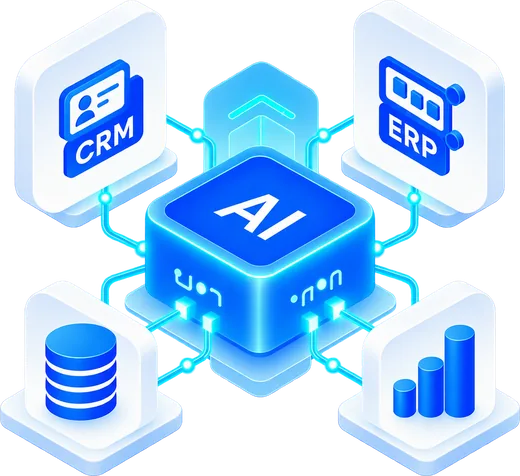
An AI core connected to CRM, ERP, database and analytics systems
06 / BUILT AROUND TRUST

The right answer.
Or the right person.

Real calls include ambiguity, interruptions and unavailable systems. A reliable workflow needs a clear path for each.

Talk through your exceptions
01 — VERIFIED ANSWERS

Retrieve before responding.

Use returned records for factual answers. Ask for clarification when information is missing.

02 — CONTROLLED UPDATES

Confirm before committing.

Validate important actions and request confirmation before changing a business record.

03 — FAILURE HANDLING

Make exceptions explicit.

Handle timeouts and unavailable services without promising an action has succeeded.

04 — HUMAN HANDOVER

Pass the context forward.

Give the team a summary, the customer’s request and the actions already attempted.

07 / IMPLEMENTATION DECISIONS

The details that
make it dependable.

A focused pilot tests the difficult moments as carefully as the happy path.

Similar names, different customers +

Use agreed identity checks to resolve ambiguous matches. Never select a customer record on a name match alone.

Odoo takes longer to respond +

Set bounded timeouts, acknowledge the wait and offer an escalation route when the lookup cannot complete.

The same request arrives twice +

Use request identifiers and duplicate checks to prevent repeated lead, ticket or booking creation.

08 / MEASURE WHAT MATTERS

A pilot with a clear
definition of success.

Agree the baseline, test sample and acceptance criteria before launch. Measure completed work, alongside conversation quality.

Task completion

Did the supported request reach the correct outcome?

Completed vs attempted

Handling time

How much staff effort did each enquiry require?

Minutes per enquiry

Record accuracy

Was the right information saved to the right record?

Sampled and scored

Handover quality

Could a human continue with sufficient context?

Reviewed per transfer

Measurement framework shown above. No client performance results are claimed for this solution showcase.

09 / FROM IDEA TO INTEGRATION

Start focused. Prove the workflow. Scale.

01

Discover

Map calls, Odoo modules, permissions and success criteria.

02

Connect

Configure the agent and build the approved integration tools.

03

Validate

Test real scenarios, interruptions, exceptions and handovers.

04

Roll out

Launch a bounded pilot, review outcomes and refine.

11 / YOUR QUESTIONS

Before we
connect.

Can this work with our existing Odoo setup?+

We first review your Odoo version, hosting model, API access, custom modules and permissions. Those findings determine the supported integration approach.

Can the voice agent update Odoo records?+

Yes, where explicitly enabled through validated tools. Read and write permissions are scoped separately, with confirmation rules for actions such as bookings or record updates.

Which workflow should we start with?+

Choose a frequent, well-defined request with accessible data and a clear success condition. Order enquiries, structured lead capture or ticket creation can be useful starting points.

What happens when the customer needs a person?+

The design can include a live transfer, support ticket or callback request. The right option depends on your telephony setup, staffing and support process.

How long does it take, and what does it cost?+

Scope depends on workflows, languages, call volumes, integrations and testing requirements. After discovery, Appther can provide a scoped estimate that separates implementation and ongoing usage costs.

LET’S CONNECT THE DOTS

Your next business
action starts with
a conversation.

Tell us which calls your team handles manually. Let’s define a focused Voice AI pilot for your Odoo workflows.

sales@appther.com ↗

Discuss your Odoo Voice AI project

Opens your email app with your enquiry ready to review and send.

Prefer an online form? Contact Appther →