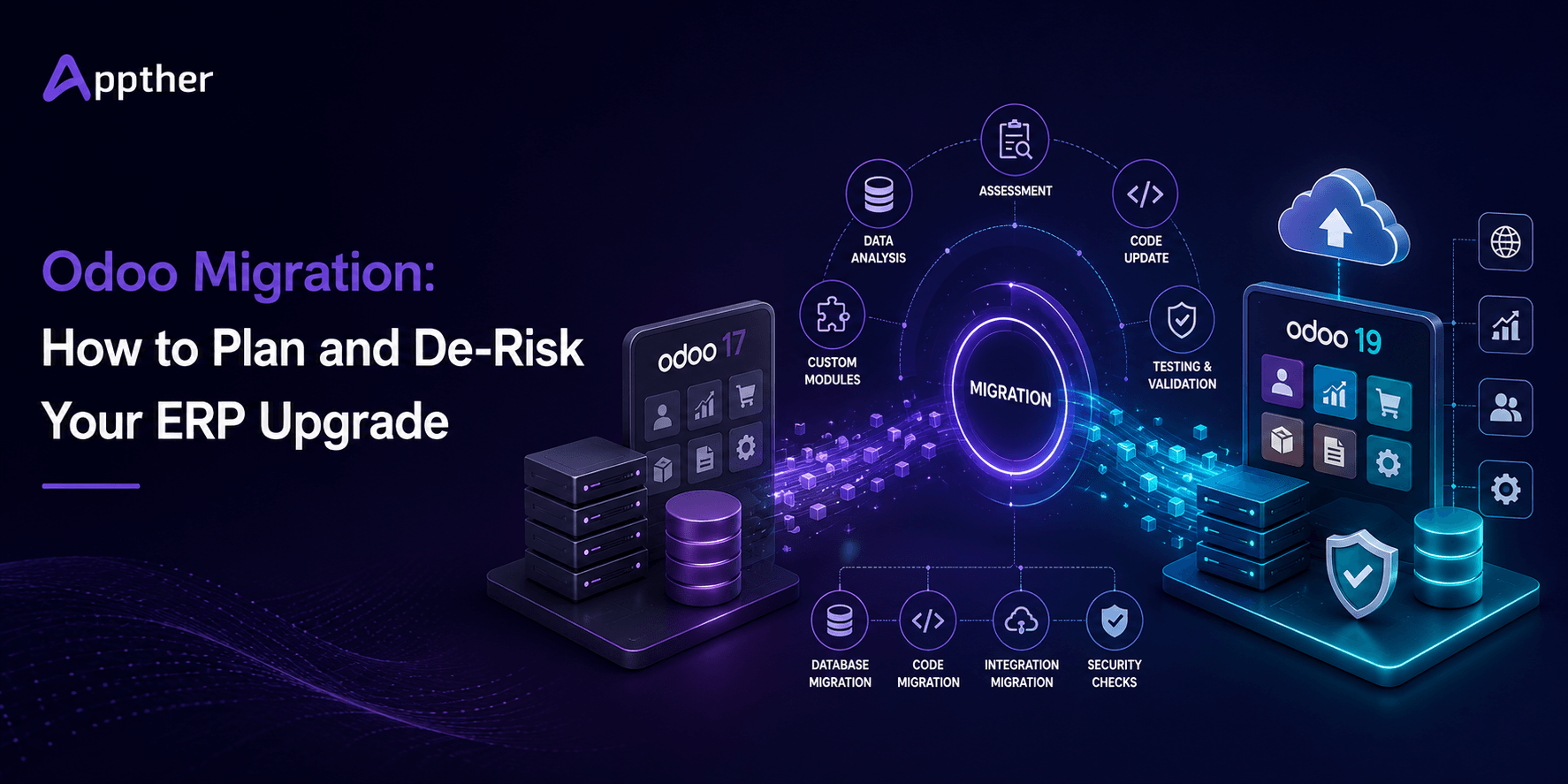
Odoo Migration at a Glance
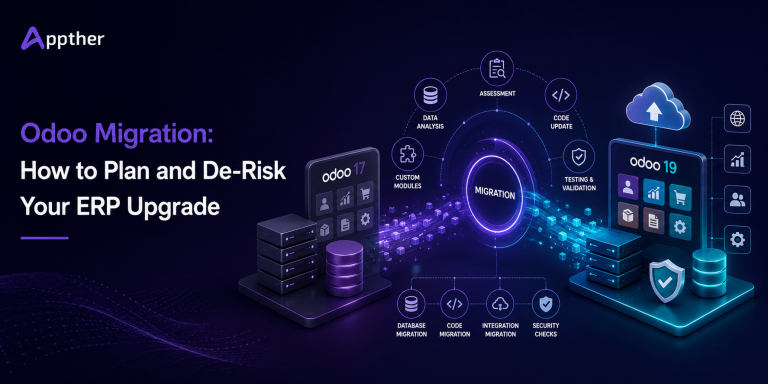
Odoo migration is the process of moving your database, custom code, third-party apps, integrations, and business workflows from an older Odoo version to a newer supported version.
There are two main approaches:
- Version upgrade: Upgrade the existing database and carry your current configuration and history forward.
- Re-implementation: Build a cleaner Odoo environment on the target version and selectively migrate the data, configurations, and processes you still need.
For businesses running Odoo 17 in 2026, migration planning is particularly important because its standard support period is planned to end in September 2026. Odoo 18 is planned for standard support through September 2027, while Odoo 19 extends that window to September 2028.
For a relatively clean Odoo 17 deployment, upgrading to a newer supported release will usually require less organizational change than a full re-implementation. However, businesses with extensive customizations, obsolete modules, poor-quality data, or inefficient workflows may benefit from using the migration as an opportunity to simplify their ERP environment.
The safest approach starts with a complete audit, followed by a development freeze, test migration, custom-module compatibility work, user acceptance testing, a cutover rehearsal, and a controlled production migration. If you would rather have this assessed for you, Appther’s Odoo development and ERP implementation team can run the audit before any timeline or budget is committed.
What Is Odoo Migration?
Odoo migration is the process of moving an existing Odoo environment from an older version to a newer supported version.
A complete migration typically involves several layers.
Database migration
Business records, transactions, configurations, users, products, customers, accounting information, inventory data, and other database records must be converted to structures supported by the target Odoo version.
Larger or heavily customized databases often benefit from a database architecture review before migration, so structural problems are corrected rather than carried forward.
Custom module migration
Custom modules developed for the existing Odoo environment need to be reviewed, updated, refactored where necessary, and tested against the target version.
Changes between Odoo versions can affect models, fields, views, methods, APIs, dependencies, reports, and frontend components. This is standard custom ERP development work rather than a configuration task, and it should be scoped that way.
Third-party app compatibility
Every third-party Odoo app should be checked for compatibility with the target version.
An application available for Odoo 17, for example, may not have an equivalent Odoo 19 release, or its newer release may behave differently.
Integration migration
External systems connected to Odoo must also be tested.
These may include:
- Payment gateways
- CRM platforms
- E-commerce systems
- Shipping providers
- Banking integrations
- BI and analytics platforms
- Warehouse systems
- Mobile applications
- Custom APIs and webhooks
Where connections were built in-house, plan for dedicated API development and integration effort in the migration scope. Odoo-to-CRM workflows in particular tend to break quietly rather than loudly, so they need explicit test cases.
Testing and cutover
Finally, business-critical workflows must be validated before users move to the upgraded environment.
This is why Odoo data migration, Odoo database migration, and Odoo module migration should not be treated as isolated tasks. A successful ERP migration considers the entire ecosystem.
Why Migrate to a Newer Version of Odoo?
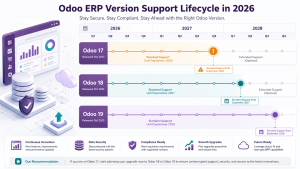
There are several valid reasons to migrate, and simply wanting the newest version number is not one of them.
1. Maintain Odoo Support and Security
Odoo provides standard support for major versions for three years.
As of 2026, the planned standard-support schedule includes:
| Odoo Version | Release | End of Standard Support |
|---|---|---|
| Odoo 17 | November 2023 | September 2026 |
| Odoo 18 | October 2024 | September 2027 |
| Odoo 19 | September 2025 | September 2028 |
For organizations still operating Odoo 17, the approaching end of its standard-support window makes 2026 an important time to assess the next upgrade.
Running an older ERP version for too long can increase security, maintenance, compatibility, and technical-debt risks.
2. Access New Features
New Odoo releases introduce improvements across applications and workflows.
Before migrating, identify which new capabilities provide an actual business benefit rather than upgrading simply because a new release exists.
A newer standard feature may also allow you to retire a custom module or workaround that your team has maintained for years. Newer releases also make it easier to layer AI capabilities into Odoo, our guide to AI integration in ERP systems covers where that actually pays off.
3. Improve Performance and Maintainability
ERP environments naturally accumulate technical debt.
Old customizations, outdated modules, redundant integrations, and unnecessary workflows make future maintenance increasingly difficult.
A migration gives your team an opportunity to review this technical debt and determine what should be upgraded, redesigned, replaced, or retired. Where slow reports or long-running jobs are the real complaint, a dedicated performance optimization pass may deliver more than the version change itself.
4. Avoid an Emergency Migration Later
Waiting until an ERP environment becomes difficult to support can turn a planned upgrade into an urgent project.
Planning early gives your organization more time for:
- Compatibility analysis
- Budget approval
- Custom module migration
- Data cleanup
- User acceptance testing
- Training
- Cutover planning
Don’t Upgrade Just Because a New Version Exists
Upgrading simply to be on the latest version is not a business case.
If your current Odoo environment is supported, secure, stable, and meeting business requirements, you can plan your migration strategically.
Migrate when the benefits, support, security, functionality, performance, or reduced technical debt, justify the effort. If you are still building the internal case for the investment, our overview of ERP system benefits for growing businesses is a useful reference.
Odoo Version Upgrade vs Re-implementation
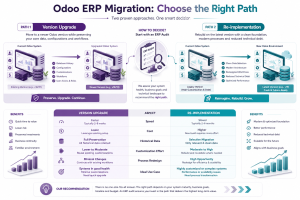
This is one of the most important decisions in an Odoo migration project.
Version Upgrade
A version upgrade takes your existing Odoo environment and moves it to a newer supported version.
Your historical data and much of your configuration remain intact, while custom modules and integrations are updated for compatibility.
This approach is usually best when your current implementation is well structured and business users are satisfied with the existing processes.
Re-implementation
A re-implementation starts with a cleaner Odoo environment on the target version.
Instead of carrying everything forward, the team decides which data, customizations, integrations, configurations, and processes should be retained.
This approach requires more effort but can be valuable when the existing implementation contains years of technical or operational debt. If you go this route, treat it as a fresh implementation project and work from a structured plan, our Odoo ERP implementation checklist is written for manufacturing but the sequencing applies broadly.
| Factor | Version Upgrade | Re-implementation |
|---|---|---|
| Best for | Clean, well-maintained Odoo environments | Heavily customized or inefficient environments |
| Speed | Usually faster | Usually slower |
| Cost | Usually lower | Usually higher |
| Historical data | Mostly carried forward | Selectively migrated |
| Business processes | Mostly retained | Can be redesigned |
| Customizations | Ported where required | Re-evaluated first |
| Main risk | Carrying old problems forward | Larger project and change-management effort |
Which Approach Should You Choose?
A useful starting rule is:
Upgrade if your current Odoo implementation works well and your primary objective is moving to a supported newer version.
Re-implement if your environment contains excessive customization, poor-quality master data, duplicated processes, obsolete modules, or workflows that no longer reflect how the business operates.
If a re-implementation is on the table, it is also a reasonable moment to sanity-check the platform itself. Our Odoo vs SAP vs NetSuite comparison covers how the options differ for SMEs and enterprises.
If the answer is unclear, start with a migration audit.
Odoo Migration Process: 9 Steps for a Safer Upgrade
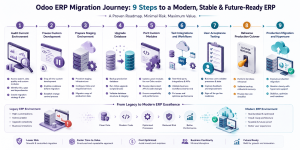
A reliable Odoo migration should never begin by experimenting on the production database.
Step 1: Audit Your Current Odoo Environment
Create a complete inventory of:
- Odoo version
- Installed standard modules
- Custom modules
- Odoo Studio customizations
- Third-party applications
- External integrations
- APIs and webhooks
- Reports and templates
- Scheduled actions
- Database size
- Data-quality issues
- Critical business workflows
The audit determines the real migration scope.
Step 2: Freeze Custom Development
Once migration development begins, avoid introducing new custom features unless they are business-critical.
Changing the existing codebase while migration work is underway creates a moving target: new changes may also need to be ported and retested.
Use this opportunity to determine whether newer standard Odoo functionality can replace existing customizations.
Step 3: Prepare the Test Environment
Create an isolated test or staging environment.
The migration should first be performed against a copy of your production data, not against the live system.
Testing in an isolated environment also prevents migration activities from accidentally triggering real emails, payments, automated actions, or integrations. For on-premise or self-managed deployments, provisioning that environment is a cloud infrastructure setup task and should be planned into the timeline.
Step 4: Upgrade the Database
Run the database through the appropriate Odoo upgrade process.
Resolve database-level migration errors before moving into deeper application testing.
At this stage, confirm that:
- Records are available
- Relationships remain intact
- Configurations migrated correctly
- Core standard modules work
- Critical business data has not been lost
Step 5: Port and Refactor Custom Modules
Custom modules require special attention.
Review each customization for:
- Removed or renamed fields
- Changed models
- Deprecated methods
- View changes
- Dependency changes
- API changes
- Frontend framework changes
- Report compatibility
Do not automatically reproduce every old customization.
If the target Odoo version now provides equivalent functionality natively, retiring redundant custom code can reduce future maintenance costs.
Step 6: Test Integrations and Business Workflows
Test actual end-to-end business scenarios, not just individual screens.
Examples include:
Lead → Opportunity → Quotation → Sales Order → Invoice → Payment
or:
Purchase Order → Receipt → Inventory → Vendor Bill → Payment
Also validate:
- Payment gateways
- Accounting workflows
- Inventory movements
- Manufacturing processes
- Shipping integrations
- API integrations
- Reports
- Email templates
- Automated actions
- User permissions
Business users should participate in this stage.
Step 7: Conduct UAT and Fix Issues
Record every issue discovered during user acceptance testing.
Fix the problem, retest the workflow, and run regression tests on related functionality.
Repeat until critical business scenarios pass.
Step 8: Rehearse the Production Cutover
Perform a full migration rehearsal before production go-live.
Measure:
- Migration duration
- Database conversion time
- Module update time
- Validation time
- Data synchronization requirements
- Expected downtime
- Rollback procedure
A rehearsal turns assumptions into measurable information.
Step 9: Production Migration and Hypercare
Schedule the final migration during a low-traffic period.
Typical activities include:
- Freeze production changes.
- Take a final backup.
- Perform the final migration.
- Update custom modules.
- Validate critical data.
- Test integrations.
- Conduct smoke testing.
- Open the system to users.
- Monitor closely.
Keep the old environment or a reliable backup available according to your rollback and retention strategy.
Provide dedicated post-go-live support during the first days or weeks. Teams without in-house Odoo capacity often cover this window through an ongoing cloud managed services arrangement.
Odoo Migration Checklist
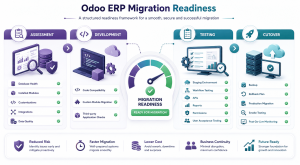
Use this checklist before approving production migration.
Assessment
- Current Odoo version documented
- Target Odoo version confirmed
- Hosting model identified
- Database size reviewed
- Custom modules inventoried
- Studio customizations documented
- Third-party applications inventoried
- API integrations documented
- Reports and templates reviewed
- Scheduled actions documented
- Data-quality problems identified
Development
- Development freeze agreed
- Custom modules assessed
- Redundant customizations identified
- Third-party app compatibility checked
- Required custom modules ported
- Upgrade scripts tested where required
Testing
- Test database successfully upgraded
- Core workflows tested
- Integrations tested
- Reports validated
- User permissions validated
- Accounting workflows tested
- Inventory workflows tested
- Automated actions tested
- UAT completed
- Critical defects resolved
Cutover
- Production backup strategy confirmed
- Rollback plan documented
- Cutover rehearsal completed
- Expected downtime measured
- Migration window approved
- Users notified
- Production migration completed
- Smoke testing completed
- Hypercare team available
Migrating from Odoo 17 to Odoo 19
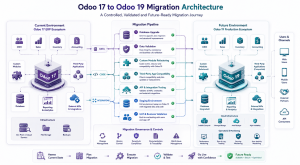
Moving from Odoo 17 to Odoo 19 is particularly relevant in 2026 because Odoo 17 is approaching the planned end of its standard-support period.
Odoo’s upgrade framework supports moving an older database to a newer supported version, but moving across multiple major releases increases the amount of change your team needs to evaluate.
Three areas deserve particular attention.
More Framework Changes
Two releases can introduce more changes to fields, models, views, methods, APIs, frontend components, and module dependencies than a smaller version jump.
Custom modules therefore deserve careful compatibility analysis. For a step-by-step walkthrough of this specific jump, see our detailed Odoo 17 to Odoo 19 migration guide.
Third-party Application Compatibility
Check every third-party app before committing to the target version.
Do not assume that because an app works on Odoo 17 it has an equivalent, stable Odoo 19 version.
For business-critical apps, compatibility should be confirmed during the initial audit.
Larger Testing Surface
Business functionality may change across releases.
Test your workflows against how the target version actually behaves rather than assuming it behaves exactly like your existing Odoo 17 environment. Our Odoo 19 vs Odoo 17 comparison sets out the feature-level differences worth building test cases around.
Odoo 17 vs Odoo 18 vs Odoo 19: Which Version Should You Migrate To?
Businesses moving from Odoo 17 may naturally ask whether they should target Odoo 18 or Odoo 19.
There is no universal answer.
| Factor | Odoo 18 | Odoo 19 |
|---|---|---|
| Planned standard support | Until September 2027 | Until September 2028 |
| Distance from Odoo 17 | Smaller version jump | Larger version jump |
| Support runway | Good | Longer |
| Custom module compatibility | Must be verified | Must be verified carefully |
| Third-party apps | Check required apps | Check required apps |
| Best fit | Organizations prioritizing a more conservative target | Organizations prioritizing a longer support runway |
Odoo 19 may provide a longer support runway, but that does not automatically make it the right choice.
The decision should consider:
- Custom module compatibility
- Third-party applications
- Integration compatibility
- Business requirements
- Testing effort
- Implementation timeline
- Long-term ERP roadmap
The migration audit should determine the target version rather than selecting it based solely on version number.
Does Migration Differ for Odoo Online, Odoo.sh, and On-Premise?
Yes.
Your hosting model affects the migration procedure and how much infrastructure and custom-code control your team has. If you are also reconsidering where Odoo should run, our comparison of cloud ERP vs on-premise ERP covers the trade-offs in more depth.
Odoo Online
Odoo Online is Odoo’s SaaS environment.
Because the platform is managed by Odoo, infrastructure responsibilities are lower, but the environment has restrictions around non-standard applications and custom code.
Compatibility should therefore be reviewed carefully before changing hosting models or planning complex customizations.
Odoo.sh
Odoo.sh provides a managed Odoo platform with development and staging capabilities suitable for environments with custom development.
For customized implementations, staging branches can play an important role in testing upgrades before production.
On-Premise
On-premise environments provide greater infrastructure control but also place more responsibility on your technical team.
The migration plan may need to cover:
- Servers
- Operating system compatibility
- PostgreSQL
- Python dependencies
- Reverse proxy configuration
- Backups
- Storage
- Security
- Deployment procedures
- Monitoring
- For complex on-premise deployments, infrastructure readiness should be part of the migration audit.
Common Odoo Migration Problems
Most migration failures are not caused by one dramatic problem. They usually come from several overlooked dependencies.
Custom Modules
Older modules may depend on fields, methods, models, or framework behavior that changed in the target version.
Unsupported Third-party Apps
A business-critical third-party module may not yet support your chosen target release.
Check this before the migration starts.
Data-quality Problems
Duplicate records, incomplete master data, inconsistent configurations, and obsolete records can complicate migration.
A migration is often a good opportunity to improve data quality.
Broken Reports
Custom reports may depend on fields or models that changed.
Test invoices, quotations, purchase orders, financial reports, operational reports, and custom dashboards.
Integration Failures
APIs and webhooks may behave differently after an upgrade.
Test every external system that reads from or writes to Odoo.
Automated Actions
Scheduled jobs, server actions, email automations, and other background processes should be reviewed carefully.
Permissions
Changes to modules, groups, or business workflows can affect user access.
Validate important roles individually rather than assuming permissions migrated perfectly.
How Long Does an Odoo Migration Take?
There is no reliable universal timeline.
A mostly standard environment with limited customization may take a few weeks, while a heavily customized multi-module implementation can take several months.
The main timeline drivers include:
- Number of custom modules
- Complexity of custom code
- Third-party applications
- Number of integrations
- Database size
- Data quality
- Business-process complexity
- Testing requirements
- Number of users
- UAT availability
- Hosting model
A migration audit is the best way to turn a broad estimate into a realistic project plan.
How Much Does an Odoo Migration Cost?
Odoo migration cost depends primarily on complexity rather than database size alone.
The largest cost drivers are usually:
- Custom module migration
- Third-party app replacement
- Integration changes
- Data cleanup
- Custom reporting
- Testing
- Infrastructure work
- Re-implementation requirements
- User training
- Post-migration support
A relatively standard Odoo environment will generally cost substantially less to migrate than a heavily customized ERP deployment.
Rather than applying a generic price to every project, a migration partner should first inspect the system and establish the scope. For a sense of how these variables move a real budget, our breakdown of Odoo implementation cost walks through the same cost drivers on the implementation side.
A useful estimation model is:
| Migration Type | Typical Scope | Pricing Approach |
|---|---|---|
| Light upgrade | Mostly standard Odoo, few customizations | Fixed-scope estimate after audit |
| Moderate migration | Custom modules and several integrations | Detailed module/integration estimate |
| Complex migration | Extensive customization and business-critical integrations | Phased project estimate |
| Re-implementation | Process redesign and selective data migration | Discovery followed by project proposal |
Appther-specific price ranges should be added here only after internal commercial approval.
Avoid publishing arbitrary industry-wide prices because two organizations using the same Odoo version can have dramatically different migration scopes.
Example: Migrating a Customized Odoo Environment
Consider a business running Odoo 17 with:
- Sales
- CRM
- Inventory
- Accounting
- Multiple custom modules
- Third-party applications
- External API integrations
- Custom reports
Instead of immediately upgrading production, the migration team first inventories the environment.
During the audit, it may discover that some custom functionality now exists in standard Odoo, one third-party app requires replacement, and several custom modules require changes for the target version.
The team then:
Audits → Freezes Development → Creates Test Environment → Upgrades Database → Ports Custom Modules → Tests Integrations → Conducts UAT → Rehearses Cutover → Migrates Production
This approach allows problems to surface in testing rather than during the production cutover.
For a real example of Appther running this kind of multi-module ERP work end to end, see our sugar factory ERP implementation case study.
Appther publishing note: Replace this illustrative example with a real anonymized Appther migration case study where possible. Include the source version, target version, number/type of custom modules, major challenges, migration approach, and measurable result. A genuine example will provide considerably stronger E-E-A-T than a hypothetical case.
Choosing an Odoo Migration Partner
A migration partner should do more than run a database upgrade.
Look for a team that:
- Audits before estimating
- Understands Odoo architecture
- Reviews custom modules individually
- Challenges unnecessary customization
- Tests third-party applications
- Understands external integrations
- Uses staging environments
- Conducts UAT
- Rehearses the production migration
- Creates backup and rollback plans
- Provides post-go-live support
Be cautious of a migration quote created without reviewing the current environment.
The number of customizations, integrations, apps, workflows, and data-quality issues can significantly change the scope.
Appther provides Odoo implementation, customization, integration, migration, and support services for businesses planning ERP modernization, alongside broader enterprise software development capability for organizations whose ERP sits inside a larger systems landscape.
If you are considering an Odoo 17 to Odoo 19 migration, or are unsure whether an upgrade or re-implementation is the better approach, start with a migration assessment.
Frequently Asked Questions
What is Odoo migration?
Odoo migration is the process of moving an existing Odoo database and its associated configurations, customizations, modules, and integrations to a newer Odoo version or environment.
Is Odoo migration the same as an Odoo upgrade?
The terms are often used interchangeably, but migration can describe a broader project.
An upgrade may focus primarily on moving the database to a newer Odoo version, while a complete migration project can also include custom-code porting, data cleanup, integration changes, infrastructure changes, testing, and process redesign.
How long does an Odoo migration take?
A relatively clean version upgrade can take a few weeks. A complex migration or re-implementation may take several months.
The timeline depends on customization, integrations, data quality, testing, and business complexity.
Can I migrate directly from Odoo 17 to Odoo 19?
An older Odoo database can be upgraded to a newer supported target version through Odoo’s upgrade framework without treating each intermediate release as a separate business migration project.
However, custom modules, third-party applications, integrations, and workflows still need to be validated against the target version. Our Odoo 17 to Odoo 19 migration guide covers this path in detail.
Should I migrate from Odoo 17 to Odoo 18 or Odoo 19?
It depends on your application compatibility, custom modules, integrations, project timeline, and long-term ERP strategy.
Odoo 19 currently offers a longer planned standard-support runway, while Odoo 18 represents a smaller version jump from Odoo 17.
Run a compatibility audit before selecting the target version.
Will I lose data during an Odoo migration?
A properly managed migration is designed to preserve required business data.
Migration work should first be performed against test copies of the database, with backups, validation, testing, and a rollback strategy established before production cutover.
Do custom Odoo modules migrate automatically?
Do not assume they will.
Custom modules need to be reviewed and made compatible with the target Odoo version. Changes to models, fields, methods, dependencies, views, frontend components, and workflows may require code updates or migration scripts.
What happens to third-party Odoo apps during migration?
Each third-party application should be checked for a compatible version.
If a compatible version does not exist, the business may need to replace the application, rebuild the functionality, remove it, or reconsider the target Odoo version.
How much does an Odoo migration cost?
There is no universal price.
Cost depends on custom modules, integrations, data quality, hosting, third-party applications, testing requirements, and whether the project is a version upgrade or re-implementation.
The most reliable estimate comes after a migration audit. You can talk to an Odoo expert at Appther to get your environment reviewed.
How much downtime is required?
Downtime varies by database size, hosting environment, custom modules, migration procedures, and final validation requirements.
A production rehearsal should be used to measure expected downtime before the final cutover.
Can Odoo Community be migrated to Enterprise?
Moving from Community to Enterprise is possible in appropriate scenarios, but it should be treated as both an edition and implementation change. Existing modules, customizations, licensing requirements, and data compatibility should be assessed before planning the transition.