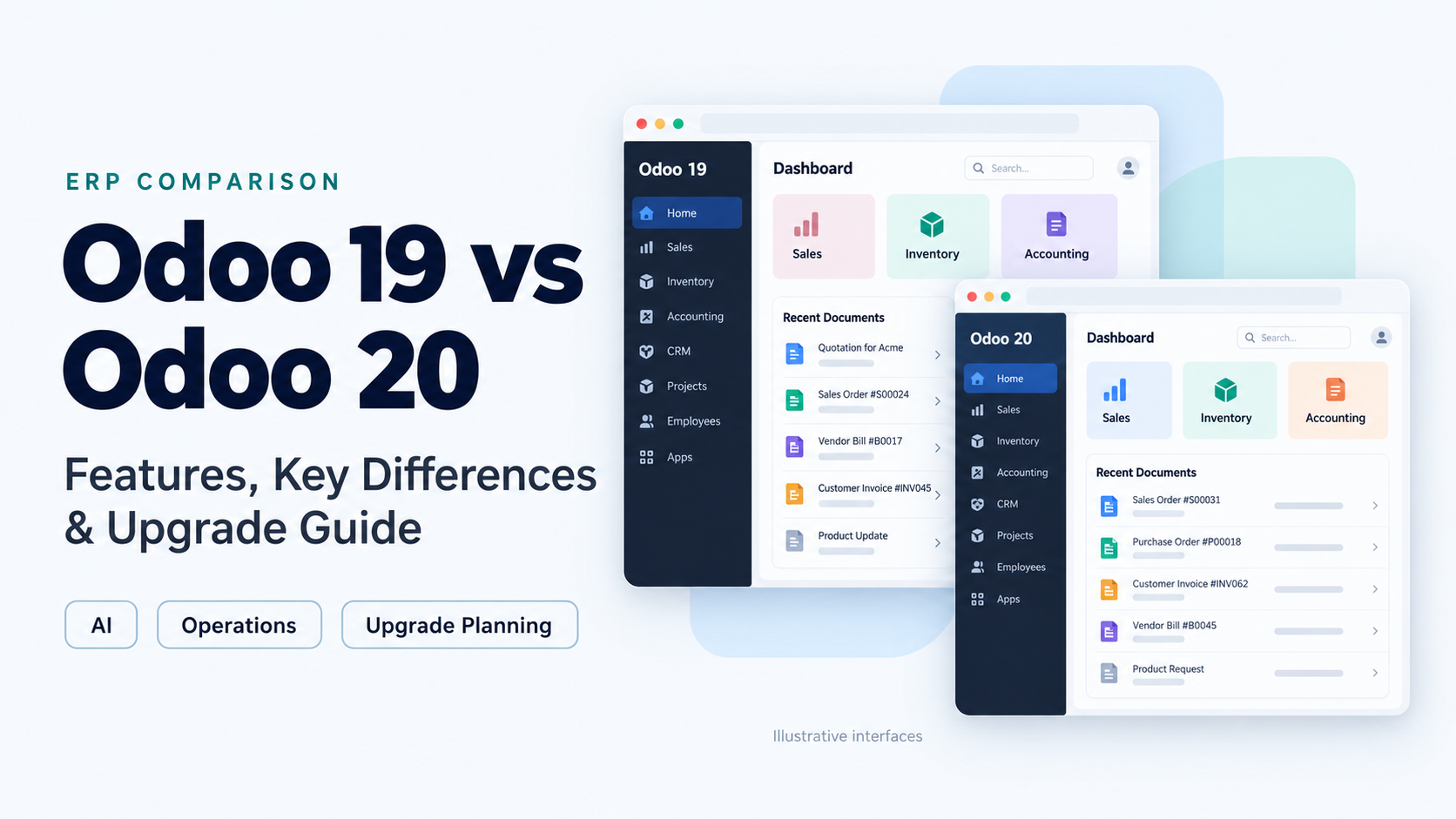
Quick answer: Odoo 20 is worth evaluating when its documented changes solve a business problem and your essential modules are ready. A working Odoo 19 system does not need an immediate migration simply because a newer version exists. Compare the benefit with the cost of adapting, testing and retraining before setting a go-live date.
Odoo’s release history lists Odoo 19 in September 2025 and Odoo 20 in September 2026. This makes the Odoo 19 vs Odoo 20 comparison relevant both to existing users and businesses planning a new ERP implementation. (Odoo release history)
The useful question is how the change affects your actual operation: the accountant closing the month, the warehouse worker scanning a carton, or the salesperson converting a quotation into an order.
This guide compares selected documented changes and explains how to assess an upgrade. For help mapping requirements before choosing a version, explore Appther’s Odoo development and ERP implementation services.
Odoo 19 vs Odoo 20 at a glance
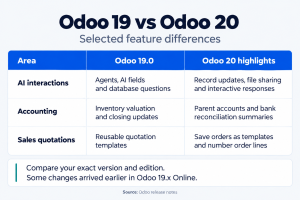
Odoo 19.0 is the baseline in this article. Odoo Online updates follow a different release cycle: features in 19.1, 19.2, 19.3 or 19.4 may also appear in the Odoo 20 release summary. Check your database version before assuming a feature requires migration. Bill-line suggestions, for example, already appear in the 19.4 notes. (Odoo 19.4 release notes)
| Area | Odoo 19 foundation | What to evaluate in Odoo 20 |
|---|---|---|
| AI | Agents, AI fields and database questions. | Record updates, file sharing and interactive responses. (Odoo 19 release notes; Odoo 20 release notes) |
| Connectivity | Review existing API-based integrations. | Native MCP access for external AI clients. (Odoo 20 MCP server documentation) |
| Accounting | Inventory valuation and closing changes. | Parent accounts and bank reconciliation summaries. (Odoo 19 release notes; Odoo 20 release notes) |
| Purchasing | Existing purchasing and vendor-bill workflows. | Vendor quality ratings and bill-matching improvements. (Meet Odoo 20 official launch overview) |
| Inventory | Stock operations and replenishment. | Forecast-based allocation and company-specific lead times. (Odoo 20 release notes) |
| Sales | Reusable quotation templates already exist. | Save an order as a template; number order lines. (Odoo 20 release notes; Odoo 19 quotation templates) |
| Manufacturing | Manufacturing orders, work centers and Shop Floor. | Work-center barcode selection. (Odoo 20 release notes; Odoo 19 Manufacturing documentation) |
| Restaurant POS | Assess your current restaurant setup. | Floor-plan editing and temporarily unavailable dishes. (Meet Odoo 20 official launch overview) |
| Field service | Task-based service workflows. | Planning-based interventions; Online rollout began in 19.x. (Odoo 20 after-sales service documentation; Official Field Service and Planning release webinar) |
| Payroll | Audit existing work-entry dependencies. | Revised flow following work-entry removal in 19.2. (Odoo 19.2 release notes) |
This table identifies differences to investigate, not a universal availability matrix. Edition, installed apps, subscription, country localization and hosting can change what your business can use. The examples below are illustrative scenarios, not Appther case-study results.
1 AI assistance and business automation
What Odoo 19 already offers: Agents can work with documents and database records. AI can help write text, fill fields and update fields through server actions. A comparison that describes Odoo 19 as purely manual or limited to a chatbot is misleading. (Odoo 19 release notes)
What to assess in Odoo 20: Evaluate the agent interactions listed in the comparison table against a specific task. The useful measure is how much reliable work the configured agent completes, including the effort a person spends reviewing its output.
Example: A sales coordinator receives a document containing a changed delivery address and a purchase-order reference. Test whether the configured agent identifies the correct customer and order, proposes the intended edits and avoids changing unrelated records. Then try a document with two orders or an incomplete address.
This separates a useful workflow from a convincing demonstration. Decide which actions need confirmation, who can authorize them and what evidence is retained. Begin with a narrow task before expanding permissions or running actions in the background.
For budgeting, Odoo 20’s release notes state that AI features require IAP credits. Model recurring usage alongside the implementation cost. (Odoo 20 release notes) For additional workflows and external systems, explore Appther’s Odoo AI integration services.
2 MCP and external AI integration
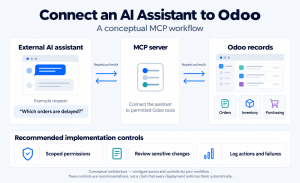
MCP stands for Model Context Protocol. Odoo 20’s documentation describes an MCP server through which an external AI agent can read or modify an Odoo database. This provides a documented route for connecting an AI client to ERP data and actions. (Odoo 20 MCP server documentation)
Example: A business wants its internal assistant to investigate delayed customer orders. The useful output is a list of affected orders, the relevant stock or purchasing information and the next action for a named employee. Start with reading records. Add write actions only after the matching logic and permissions have been tested.
MCP does not automatically replace a Shopify connector, a bank integration or every scheduled data exchange. A deterministic integration may still be the better fit for repeated, structured transactions. Choose the mechanism according to the workflow, then define authentication, retries, duplicate prevention and error monitoring.
Who benefits: Teams already using external AI tools and businesses building assistants across several systems. Companies needing only standard sales and accounting workflows may have little reason to upgrade for MCP alone.
3 Accounting and financial reporting
Odoo 19 already changed inventory valuation and introduced a closing interface. In the Odoo 20 notes, account groups give way to parent accounts, while reconciliation summaries provide another way to review bank transactions. (Odoo 19 release notes; Odoo 20 release notes)
Why it matters: A change to account organization can affect management reports, exports and custom financial dashboards. Treat it as a reporting design review rather than assuming that matching total balances proves every report is correct.
Example: A distributor reports freight, customs charges and warehouse costs under separate management headings. Before migration, save a signed-off report for a completed period. After migration, compare the same period at account and subtotal level. Check that the classifications still support the decisions the finance team makes.
For reconciliation, test partial payments, bank fees, credit notes and foreign-currency transactions. Use the real exception cases your accountant handles each month. Record whether the new flow reduces manual steps without obscuring the reason a balance remains outstanding.
Country-specific accounting and tax features require their own assessment. The presence of a localization should not be treated as proof that every transaction type or filing requirement is correctly configured for your business.
4 Purchasing and supplier management
Odoo’s launch overview highlights vendor quality ratings and improvements to matching supplier bills with purchase orders, including discrepancy identification. (Meet Odoo 20 official launch overview)
Example: A manufacturer orders 500 components, receives 480 and gets a bill for 500 at a revised price. The buyer needs to distinguish a quantity difference from a price difference and decide whether the bill should wait for the remaining delivery or be corrected.
Build the demonstration around that scenario. Check the purchase order, receipt, vendor bill and quality evidence together. A supplier rating is most useful when your receiving team records checks consistently; incomplete quality data can create a misleading impression of supplier performance.
Who benefits: Buyers managing frequent receipts, quality problems or invoice disputes. The value should be measured through exception-resolution time, unresolved bills and the reliability of supplier records, rather than a generic promise of lower procurement costs.
5 Inventory and warehouse management
The Odoo 20 inventory notes include allocation from the forecast report and customer lead times that can differ by company. (Odoo 20 release notes)
Why it matters: Stock availability and a promised delivery date are related, but they are not the same decision. A multi-company distributor may serve one customer through a local warehouse and another through an importing entity with a longer delivery cycle.
Example: Two companies sell the same bolt SKU. One holds local stock; the other replenishes from an overseas supplier. Test whether the configured lead times produce appropriate commitments for each company, and whether the allocation workflow makes it clear which incoming stock is intended for which demand.
For carton-based operations, define separate acceptance rules. If an order requires five complete cartons, the worker may need to scan five unique carton IDs with the correct SKU and quantity. Also test a sixth scan, a duplicate carton scan, a wrong location and a return. These are business requirements to configure or develop; the newer version does not automatically guarantee your exact validation rules.
Who benefits: Distributors, wholesalers and multi-company operations where allocation and delivery commitments cause recurring errors. Compare the proposed flow with your current barcode devices, label formats and integrations before committing.
6 CRM and sales quotations
Odoo 19 already supports reusable quotation templates. Odoo 20 adds a save-as-template action for quotations or sales orders and sales-order line numbering. These are refinements to an existing sales process. (Odoo 20 release notes; Odoo 19 quotation templates)
Example: An equipment supplier repeatedly quotes a machine, installation, training and optional maintenance. Converting a well-structured order into a reusable template can make repeat proposals easier to prepare. Line numbers can help a customer refer to a specific item during negotiation.
Do not copy commercial details blindly. Test whether the next quotation uses the correct customer price list, currency, tax treatment and validity date. Review which text should remain standard and which fields must be reconsidered for each customer.
For CRM automation, distinguish a genuinely new capability from an existing feature you have not configured. Odoo 20 documents AI-assisted live chat that answers enquiries, qualifies conversations and creates leads, while Odoo 19’s notes already list live-chat agents and lead generation. (Odoo 19 release notes; Odoo 20 AI live chat documentation)
A useful pilot follows a lead from enquiry to quotation, including duplicate detection and assignment. The business result is a usable opportunity with the right context, not merely an automatically created record.
7 Manufacturing and shop-floor work
Odoo 19 already provides manufacturing orders, work centers and a Shop Floor interface. Its manufacturing foundation should not be presented as a new Odoo 20 capability. (Odoo 19 Manufacturing documentation)
The work-center scanning change in the comparison table is relevant where operators move between stations or share terminals. An example is a fabrication team that needs to identify the correct machine before recording work. Evaluate scan reliability, device placement and the effect on the operator’s sequence.
Also compare partial production and rescheduling. Odoo 19.1 already introduced splitting ongoing manufacturing orders to produce the remaining quantity later. That is another reason to identify the exact 19.x baseline before attributing a capability exclusively to Odoo 20. (Odoo 19.1 release notes)
Example: A planned run is 1,000 units, but a component shortage allows only 600 to be completed. The acceptance test should track the remaining demand, component consumption, recorded labor and output traceability. Check downstream delivery promises as well as the manufacturing screen.
Who benefits: Manufacturers with frequent production interruptions or operator-interface friction. Validate the complete production flow; a simpler shop-floor action does not by itself prove that costing and planning are correct.
8 Point of Sale and restaurant workflows
Odoo’s Odoo 20 launch overview describes a redesigned restaurant floor-plan editor, automatic combo construction as menu items are added, and temporarily marking dishes unavailable across POS and online orders. (Meet Odoo 20 official launch overview)
Example: A restaurant runs out of a dish during dinner service. Test the sequence from a staff member changing availability to a customer placing an online order. Include a customer who already has the dish in their cart and a waiter editing an existing table order.
The operational benefit depends on the entire service chain. Validate the kitchen printer, payment terminal, refunds, discounts and end-of-day totals. If you connect third-party delivery platforms, test them separately; the native website behavior does not prove that every external channel receives the same update.
Who benefits: Restaurants with changing menus, frequent stock-outs or both dine-in and online ordering. Use a rehearsal with the people and hardware that will handle a busy shift.
9 Field service and technician scheduling
Odoo 20’s Helpdesk documentation places on-site interventions in the Planning app. Odoo’s own webinar explains that this Field Service and Planning change began in Online releases 19.1 and 19.2. It is a significant difference from a 19.0 workflow, but not necessarily new to every 19.x user. (Odoo 20 after-sales service documentation; Official Field Service and Planning release webinar)
Example: A maintenance business receives a helpdesk ticket requiring a technician, a replacement part and a customer appointment. Evaluate how the ticket becomes scheduled work, how the technician records completion and how billable work reaches the invoice.
Inspect any customization that assumes a service visit is represented by the same task or model as before. Customer portals, worksheets, automated reminders and mobile integrations may need changes. A scheduling improvement is valuable only if the downstream work record and billing remain accurate.
Who benefits: Service companies coordinating technicians, equipment and appointments. The project should include dispatchers and field staff in testing, not only an administrator reviewing the calendar.
10 HR and payroll dependencies
Odoo’s 19.2 release notes describe removal of work entries and the Planning–Payroll integration, alongside a revised payroll dashboard. These changes are relevant to the newer release family and deserve explicit review when moving from 19.0. (Odoo 19.2 release notes)
Why it matters: An attendance connector or custom salary rule may depend on records and assumptions that change during the upgrade. A payroll page loading successfully says little about whether each employee is paid correctly.
Example: Recalculate a completed payroll period that includes overtime, unpaid leave, a new joiner and an employee leaving mid-period. Compare each affected employee’s inputs and outputs, then review the accounting export with the responsible payroll specialist.
Do this for the country localization and rules your company actually uses. For a heavily customized payroll deployment, resolving these dependencies can be more important than any improvement elsewhere in the ERP.
What should not be assumed from the version number
A fair Odoo version comparison distinguishes standard features, paid features, third-party apps and custom development. Ask the demonstrator to identify which category each capability belongs to and show it in the proposed environment.
Do not accept an unsupported percentage claim that Odoo 20 is faster. For your system, measure quotation loading, stock-report generation, batch processing and the busiest integration jobs on comparable infrastructure and data. Likewise, the release number alone cannot prove that a connector, localization or unusual approval flow will work.
Community, Enterprise and hosting: what should you choose?
Version, edition, subscription and hosting are different choices. Odoo Community and Enterprise have different feature coverage. Use Odoo’s current edition comparison to confirm the apps you need. (Odoo edition comparison)
Odoo Online’s documentation states that it does not support custom modules or modules from the Odoo Apps Store. If your operation depends on server-side custom modules, review an appropriate hosting option before committing to the implementation. (Odoo Online documentation)
Odoo’s pricing page also distinguishes Standard and Custom plans, with external API access listed under Custom. Check the current subscription scope rather than assuming an integration is included because the target version supports it. (Odoo pricing and plan scope)
For each requirement, record the app, edition, hosting dependency, configuration effort and any additional charges. This gives procurement and the delivery team the same definition of what is being purchased.
| Decision | What the buyer should establish |
|---|---|
| Community or Enterprise | Confirm each required app and feature against the current edition list; include maintenance and support responsibilities. |
| Standard or Custom subscription | Check API access, customization needs, company structure and the actual commercial terms. |
| Online or a custom-module hosting option | Determine whether server-side add-ons are required and who owns deployment and recovery. |
| AI and other usage charges | Identify billable services, expected monthly volume and a review process for unexpected usage. |
| Third-party apps | Check target-version availability, licence renewal, vendor support and replacement options. |
Should you upgrade from Odoo 19 to Odoo 20?
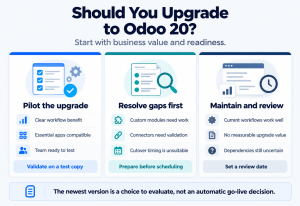
Our recommendation: Proceed when the business case and the compatibility assessment both support the move. Use the following decision guide as a starting point, then validate it against your own environment.
| Your situation | Recommended next step |
|---|---|
| A documented change removes a recurring operational problem | Build a small pilot and measure the improvement. |
| Critical third-party apps are not ready | Resolve replacements or compatibility before scheduling production migration. |
| Odoo 19 meets your needs and no benefit is measurable | Maintain the system and set a planned review date. |
| You are beginning a new implementation | Evaluate Odoo 20 first, with edition and dependency checks. |
| The team is in a peak trading or financial-close period | Prepare and test now; choose a suitable cutover window. |
Odoo’s support table lists standard support for Odoo 19 through September 2028, marked as planned. The arrival of Odoo 20 therefore does not by itself make Odoo 19 unsupported. Recheck the policy and your agreement when planning. (Odoo standard and extended support)
If you are starting from an older version, Appther’s Odoo 19 vs Odoo 17 comparison provides background on that earlier transition. Choose the target version after reviewing today’s requirements and migration options.
Odoo 19 to Odoo 20 migration checklist
Odoo’s upgrade documentation states that custom modules must be available for the target version before a customized database can be upgraded. Database conversion and custom-code adaptation belong in the same plan. (Odoo upgrade documentation; Upgrading a customized database)
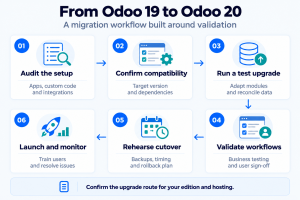
1 Audit the current system
List installed apps, custom modules, Studio changes, integrations, reports, automated actions and user roles. Identify unused customizations that could be retired instead of migrated.
2 Confirm the upgrade route
Check the target-version upgrade availability for your edition and hosting environment. Obtain compatibility commitments for essential third-party apps. Assign an owner to each unresolved dependency.
3 Prepare a test environment
Use a representative database copy and protect its business data. Prevent test emails, payments or integrations from reaching live recipients and production systems.
4 Adapt and reconcile
Update affected modules and integrations. Compare opening balances, open orders, stock quantities, attachments and key reports with the source system. Investigate differences before proceeding.
5 Run user acceptance testing
Have finance, sales and operations complete their real workflows. Include permission checks, exception handling, document outputs and device testing. Record approval against agreed criteria.
6 Rehearse the production cutover
Measure the migration window, verify backups and define rollback triggers. Decide how queued integrations and transactions created near the cutover will be handled.
7 Train users and monitor after launch
Explain changed workflows by role. Monitor failed jobs, integration queues and operational exceptions after launch, with named owners for fixes.
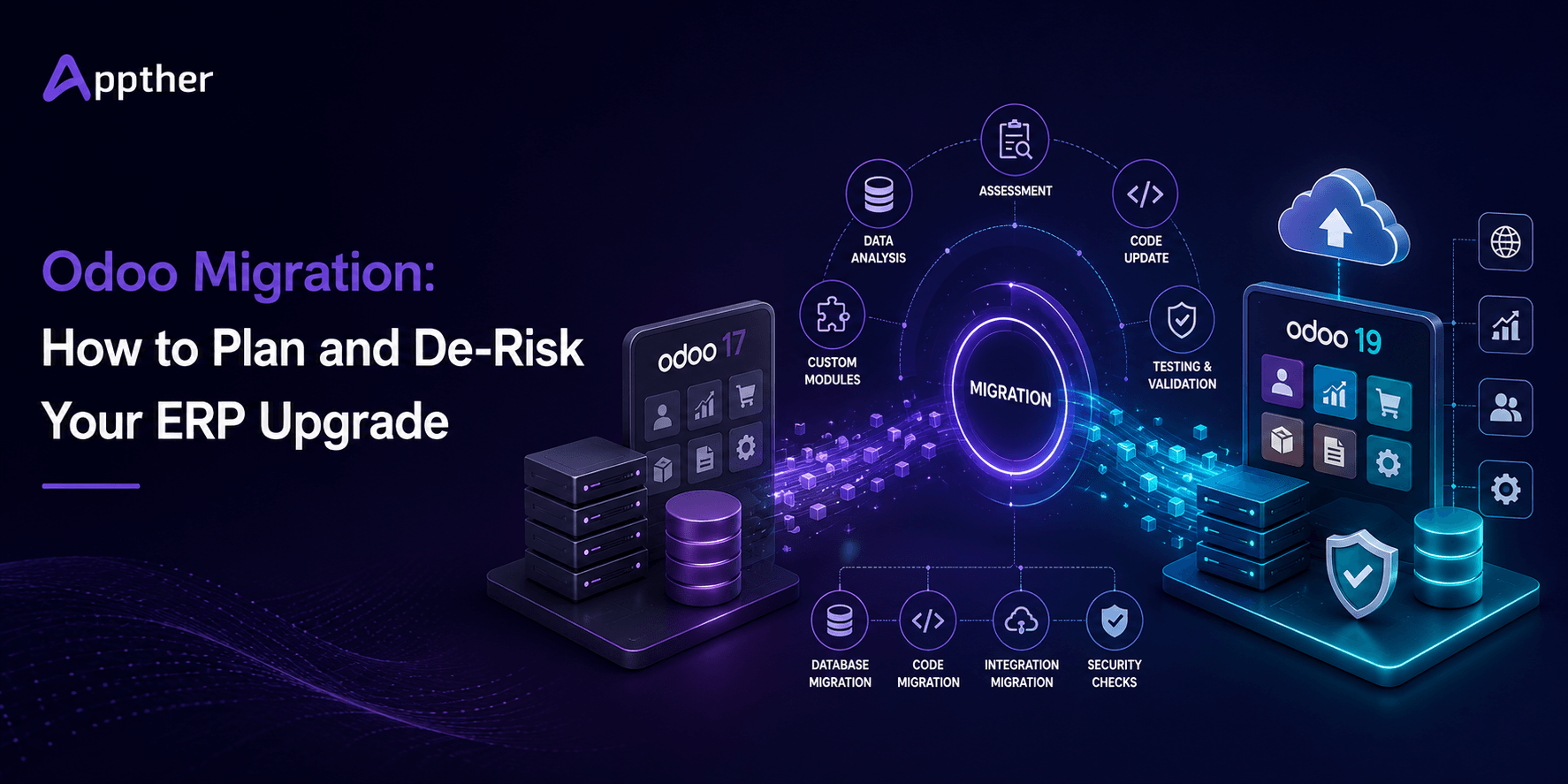
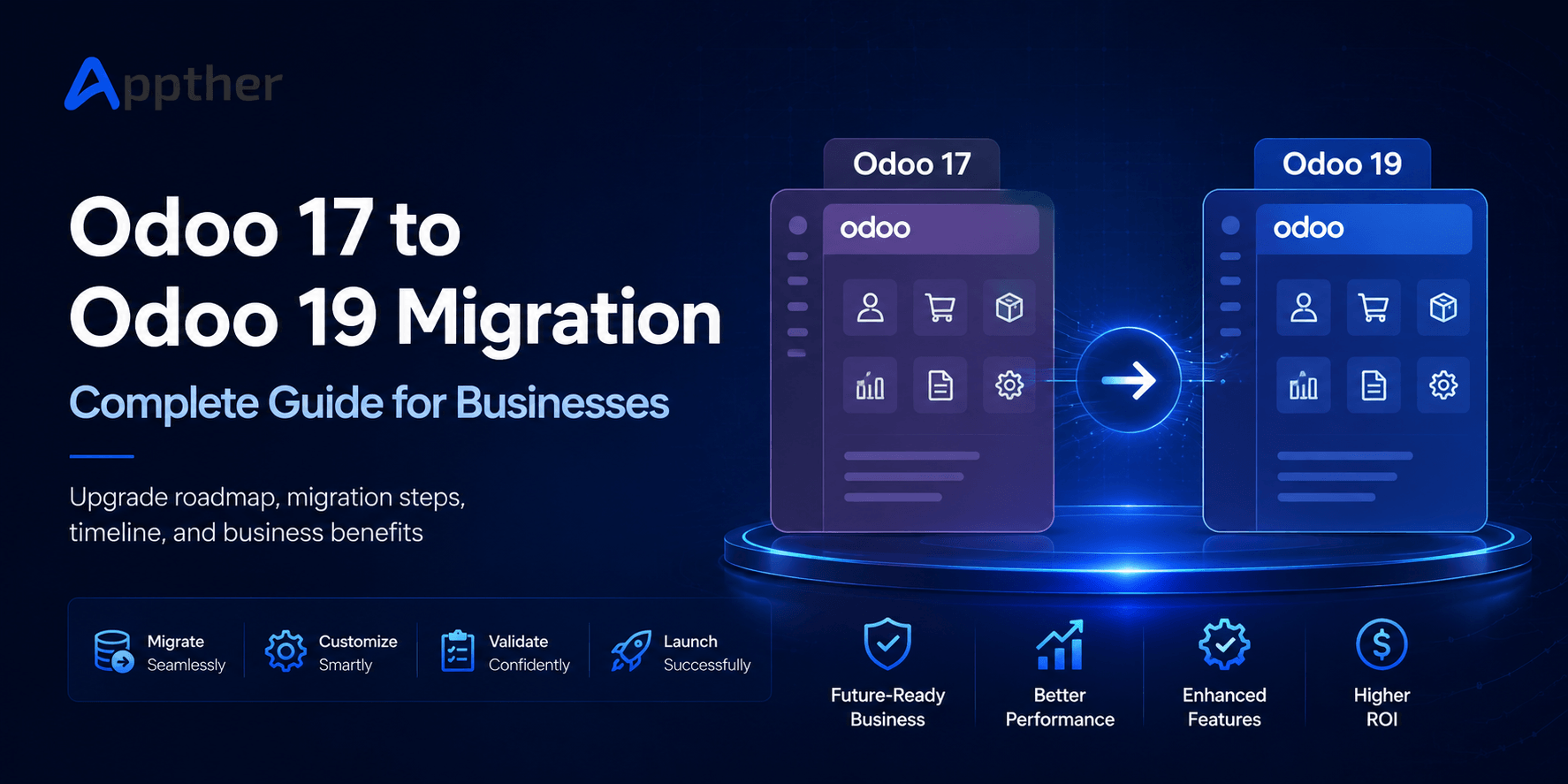
For an earlier-version example of migration planning, read Appther’s Odoo 17 to Odoo 19 migration guide. Its target is different; the scope and dependencies for an Odoo 20 project still need a fresh assessment.
What affects Odoo migration cost and timeline
There is no reliable universal price for an Odoo 19 to Odoo 20 upgrade. Two companies with the same user count can have very different workloads if one uses standard apps and the other depends on custom modules and external systems.
Request a quotation with separate allowances for discovery, module adaptation, database work, integrations, testing, training, cutover and post-launch support. List subscription, hosting, third-party licences and usage-based services separately so that project fees and recurring costs are easy to compare.
The schedule should identify dependencies as well as development work. A supplier’s unfinished connector, unavailable finance testers or a required cutover window can determine the date even when coding is complete.
| Workstream | Why the estimate changes |
|---|---|
| Custom modules | A small view adjustment and a rewritten operational module have very different effort. |
| Data and attachments | Volume, historical inconsistencies and validation requirements affect migration and reconciliation. |
| External integrations | Each connector needs authentication, mapping and error-handling checks against its real counterpart. |
| Business testing | More companies, sites, currencies and exception flows require more acceptance scenarios. |
| Cutover and support | Restricted downtime, parallel checks and extended launch coverage increase delivery effort. |
A useful estimate should show effort by workstream and separate assumptions from confirmed scope. For example, “connector compatible” should name the connector and tested version. “Data migration included” should specify whether attachments, historical transactions and reconciliation are covered. Ask what would trigger a change request before comparing competing prices.
For a new implementation, include configuration and adoption costs as well. Choosing Odoo 19 to save a small amount today can be poor value if it creates an immediate second project; choosing Odoo 20 can also be poor value if a critical dependency forces expensive temporary workarounds.
Illustrative value calculation: If a validated improvement saves 20 staff hours per month and the fully loaded cost is ₹1,000 per hour, the estimated capacity value is ₹20,000 monthly, or ₹2,40,000 annually. These are hypothetical inputs, not Appther pricing or an Odoo performance claim. Freed capacity is not automatically a cash saving; include review time and recurring costs in the business case.
Frequently asked questions
Is Odoo 20 available?
Odoo’s official release history lists Odoo 20 as released in September 2026. For an existing installation, confirm that the appropriate upgrade route is available for your database and hosting environment before scheduling the move. (Odoo release history)
Is Odoo 20 better than Odoo 19?
The newer version is the stronger choice when its relevant changes work with your required apps and justify the transition effort. A stable Odoo 19 deployment may remain suitable while you test dependencies or establish a clearer business case.
Does Odoo 19 already have AI?
Yes. Odoo 19’s official notes describe AI agents, document-based answers, database queries, writing assistance and AI fields. Evaluate the additional capabilities you need instead of treating the decision as a choice between AI and no AI. (Odoo 19 release notes)
Will custom Odoo 19 modules work in Odoo 20?
Do not assume compatibility. Review and adapt custom modules for the target release, then test them with the upgraded database and their integrations. Odoo identifies target-version custom-module availability as a prerequisite for upgrading a customized database. (Odoo upgrade documentation)
How much does an Odoo 20 upgrade cost?
The cost depends on custom code, data, integrations, validation, training and deployment requirements. Request a scoped estimate after an audit, with recurring charges separated from migration services. A per-user subscription price does not describe the full project budget.
How long does Odoo migration take?
The timeline depends on dependencies and testing as well as technical migration. Ask for a schedule that includes app readiness, test cycles, business sign-off and a rehearsed cutover. Production downtime is only one part of that schedule.
Should a new business start with Odoo 19 or Odoo 20?
Start by evaluating Odoo 20 against your required workflows and modules. Choose Odoo 19 only when a specific dependency or implementation constraint justifies it, and include a future upgrade plan in that decision.
Can I get every Odoo 20 feature in Community?
Do not assume that the full release announcement describes Community availability. Check each required feature against the edition comparison, installed modules and relevant subscription. Where an add-on fills a gap, include its licence, maintenance and future migration cost. (Odoo edition comparison)
Do I need to upgrade if I already use Odoo 19 Online?
First check the exact Online version and the features already enabled. Odoo 19.x Online updates include changes that a 19.0 deployment may not have. Compare your current workflow with the proposed target before paying to recreate something you already use. (Odoo 19.4 release notes; Official Field Service and Planning release webinar; Odoo 19.2 release notes; Odoo 19.1 release notes)
Will an upgrade improve performance automatically?
It is not a reliable assumption. Custom queries, data volume, infrastructure and integrations all affect response time. Benchmark your busiest workflows using representative data, then identify whether the version change or a separate optimization addresses the bottleneck.
Plan your Odoo upgrade with Appther
At Appther, we help businesses assess Odoo requirements, review custom modules, connect external systems and plan implementation or migration. Start with the workflows that matter to your team and a clear view of the dependencies before choosing a version.
Share your current Odoo version, edition, hosting setup and essential modules with us. We can discuss the compatibility work, testing scope and next steps for your project.