| Quick answer
Odoo AI integration connects artificial intelligence directly into your Odoo ERP so it can read your data, draft content, and run tasks across CRM, accounting, inventory, and support. In Odoo 19 this runs through a dedicated AI app with configurable AI agents, AI fields, and no-code automations. Done right, it cuts manual work, speeds up decisions, and turns your ERP from a system that records work into one that acts on it. |
Introduction to Odoo AI Integration
Most businesses already keep their most valuable data in Odoo. Orders, invoices, leads, tickets, stock. The problem was never the data. It was the manual work of moving it, reading it, and acting on it.
Odoo AI integration closes that gap. It puts intelligence where the work already happens. With Odoo 19, AI is no longer a bolt-on. Odoo ships a dedicated AI app that reaches across every major module. For US businesses under pressure to do more with leaner teams, that shift is a real advantage.
If you want the bigger picture on building intelligence into your ERP, see our guide on building a smart ERP with AI integration.
What is Odoo AI?
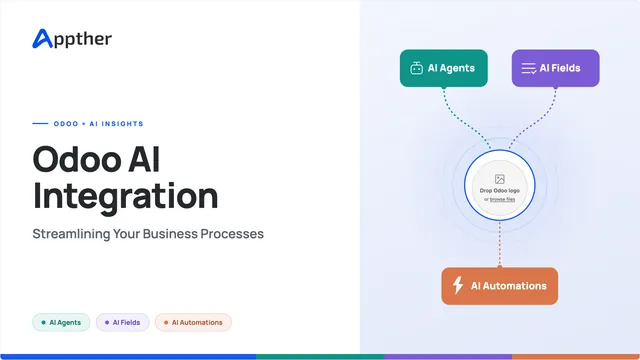
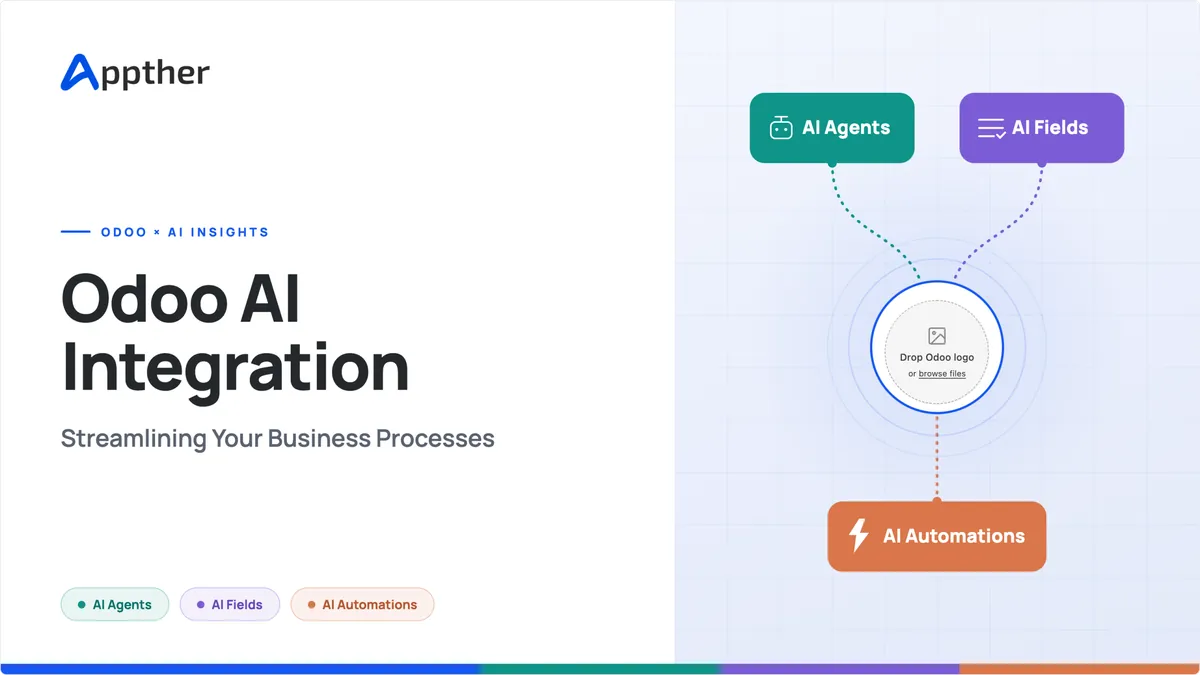
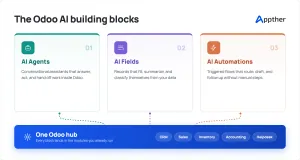
Odoo AI is the set of native artificial intelligence features built into the Odoo platform. In Odoo 19, the core building blocks are AI agents, AI fields, and AI automations.
- AI agents. Configurable assistants that do more than answer. They act. An agent can open the right record, retrieve information, or create a lead.
- AI fields. These turn messy text into structured output. A long customer email becomes three clear key points.
- AI automations. These update records automatically when something is created or changed.
The agents connect to leading language models, so the reasoning stays current and capable. You keep control. The AI handles the repetitive middle.
Benefits of Integrating AI into Odoo
The payoff is practical, not theoretical.
- Less manual data entry. Vendor bills, expenses, and documents move from typing to review and approve.
- Faster service. Support teams get AI-drafted replies and instant ticket summaries.
- Better sales follow-through. Lead creation and quote drafting can start from a single sentence.
- Cleaner decisions. Weekly reporting summaries arrive without anyone building a spreadsheet.
- One place to work. No separate AI tool to license or learn. It lives inside the ERP you already pay for.
Agentic AI in Odoo
Definition and Features of Agentic AI
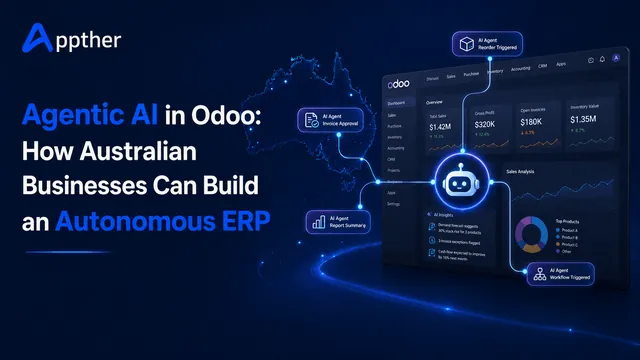
Agentic AI describes systems that plan, act, and adapt on their own, rather than waiting for each instruction. A chatbot answers. An agent acts. In Odoo, an agent can interpret a request, choose the right tool, run the steps, and hand back a result. You set its scope with a system prompt that defines tone, boundaries, and responsibility. Learn more about our agentic AI systems.
How Agentic AI Enhances Business Processes
Agentic AI removes the small decisions that clog a workday. It reads an incoming ticket, tags it, drafts a reply, and routes it. It watches for overdue invoices and follows up. It assigns a task to the right person. Your team stays in charge of the calls that matter. The agent takes the repetitive rest.
Use Cases of Agentic AI in Odoo
- Natural language search across your Odoo data, so a plain sentence opens the right view.
- Automated lead creation in CRM from inbound messages.
- Support ticket triage, summarization, and drafted replies in Helpdesk.
- Accounting follow-ups on overdue invoices.
- Document summaries for contracts, compliance, and policies.
- Internal knowledge bots trained on your own SOPs and Knowledge app content.
Steps to Implement Odoo AI Integration
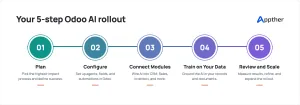
Preparation and Planning
Start with the process, not the tool. Pick one or two repetitive, well-defined workflows with clear value. Vendor bill entry and support triage are common quick wins. Clean the data those workflows rely on, because AI output quality follows input quality.
Integrating AI into Existing Odoo Modules
In Odoo 19 you configure agents in the AI app. You choose a language model, write a system prompt, and connect the agent to the modules it serves, like CRM, Accounting, or Helpdesk. AI server actions automate steps with no code. AI fields in Studio generate content and summaries exactly where you need them.
Training Odoo AI Models with Business Data
Agents get sharper when they learn from your material. Upload your policies, product docs, and Knowledge app content. Use your own terminology so the agent speaks your language, not generic filler. Guard sensitive data and set access rights carefully as you go.
Best Practices for Implementation
- Automate in stages. Do not switch everything on at once.
- Keep a human in the loop on anything that matters.
- Hold off on automating financial transactions until you have verified accuracy.
- Write clear, specific prompts. Ambiguity produces wrong output.
- Keep versioned backups of your automation rules.
This is where an experienced partner earns its fee. Our Odoo services cover planning, module integration, and agent training end to end.
Real-World Success Stories
Note for Appther: these are anonymized, representative examples that mirror the kind of work we deliver. Swap in real client names, exact figures, and logos from your Portfolio where you have permission, for stronger trust signals.
Case Study 1: Automating Customer Support for a US Software Company
The challenge. A growing SaaS company handled every support ticket by hand. Agents read long emails, guessed the priority, routed by memory, and wrote each reply from scratch. First-response times slipped, answers varied between agents, and the team was one bad week away from needing new hires.
What Appther delivered.
- Configured an Odoo Helpdesk AI agent connected to their Knowledge base and past resolved tickets.
- Set up AI fields to summarize each incoming ticket into three key points, so agents grasp the issue in seconds.
- Built AI automations that categorize and prioritize tickets the moment they are created.
- Created a drafted-reply workflow where the agent proposes a response and a human approves or edits before it sends.
- Set access controls and a human-in-the-loop rule, so nothing goes to a customer unreviewed.
The result. First-response time fell by roughly half. The same team handled a higher ticket volume with no new headcount, and replies became more consistent because they all started from approved knowledge.
Case Study 2: Streamlining Inventory for a Mid-Size Distributor
The challenge. A distributor ran replenishment on spreadsheets and gut feel. Fast-moving items sold out while cash sat frozen in overstock. Planners spent hours each week rebuilding the same reorder math by hand.
What Appther delivered.
- Integrated AI demand forecasting into Odoo Inventory, trained on their historical sales, seasonality, and supplier lead times.
- Automated replenishment suggestions with dynamic reorder points that adjust as demand shifts.
- Built a planner dashboard that flags at-risk SKUs before they stock out.
- Kept purchase approvals manual, so the AI proposes and a planner confirms.
The result. Stockouts dropped by 20 to 30 percent, and the business freed up working capital that had been tied in excess inventory. Planners moved from rebuilding math to reviewing exceptions. See our related piece on AI in warehouse management.
Case Study 3: Sharper Sales Forecasting for a Manufacturer
The challenge. A manufacturer forecast on gut feel. Reps chased every lead equally, the pipeline was hard to trust, and leadership could not predict the quarter with any confidence.
What Appther delivered.
- Deployed AI lead scoring in Odoo CRM, trained on their historical win and loss data, to rank every deal by conversion probability.
- Added pipeline analysis that surfaces at-risk deals and stalled opportunities early.
- Set up AI-drafted follow-up emails so reps act on hot leads faster.
- Built a forecast dashboard that gives leadership a ranked, data-backed view of the quarter.
The result. Forecast accuracy improved, and reps spent their time on the deals most likely to close instead of spreading thin. Sales leadership got a pipeline they could plan around.
Future of Odoo AI
Upcoming Features and Improvements
Odoo keeps pushing AI deeper into the platform. Odoo 20 arrives in late September 2026 and moves further into agentic territory, where the system runs multi-step workflows on its own. Expect more of what teams build today as custom layers to become native.
Trends in AI and ERP Integration
The wider market is moving the same way. Buyers now want AI built for their industry, not one-size-fits-all. ERP is shifting from a system that records work to one that interprets and acts on it. And agentic workloads are taking a fast-growing share of business software spend.
How Appther Can Help
Appther is an AI-first software company that implements and integrates AI into Odoo for US businesses. We work across CRM, accounting, inventory, and support, and we do it every day. Native Odoo AI features are powerful, but getting real value takes the right first use case, clean data, careful prompts, and governance. That is the part we handle.
What we do
- AI readiness and roadmap. We find your highest-value automation first, so you see a return quickly instead of boiling the ocean.
- Odoo AI agent setup and training. We configure agents, connect the right language model, and train them on your own documents and processes.
- Module integration. CRM, Accounting, Helpdesk, Inventory, and Studio, wired together so the AI works across your business, not in a silo.
- Custom automations and AI fields. Where native features stop, we build the automations and fields that fit your workflow.
- Governance and safety. Human-in-the-loop approvals, access controls, and data protection built in from day one.
- Ongoing support and scaling. We help you expand as Odoo 20 lands and as your team grows more comfortable handing work to AI.
Why Appther
We pair deep Odoo functional consulting with a real AI engineering team. Most agencies do one or the other. We have delivered Odoo across banking, manufacturing, pharma, and real estate, so our solutions match how your industry actually works. And we take you from strategy through deployment and beyond, not just a handoff at go-live. Explore our Odoo services and agentic AI systems to see the full picture.
Conclusion
Odoo AI integration turns a familiar ERP into an active teammate. It trims manual work, speeds up service, and sharpens decisions, all inside the system your business already runs on. The tools are native in Odoo 19, and they get stronger with Odoo 20. The businesses that start now, on a few high-value workflows, will be the ones running lean when everyone else is still catching up.
| Talk to our team through our Odoo services page and see where AI can save you the most time first. |
Frequently Asked Questions
What is Odoo AI integration?
Odoo AI integration is the process of connecting artificial intelligence into your Odoo ERP so it can read data, draft content, and run tasks across modules like CRM, Accounting, and Helpdesk. In Odoo 19 this uses a native AI app with AI agents, AI fields, and automations.
Does Odoo 19 include AI out of the box?
Yes. Odoo 19 ships with a dedicated AI app and embedded AI features across major modules. You configure agents, choose a language model, and connect them to the modules you want, without heavy custom development.
Is Odoo AI safe to use with financial data?
It can be, with the right controls. Best practice is to keep a human in the loop on financial tasks and avoid fully automating transactions until you have verified accuracy. Access rights and data protection should be set carefully.
What is agentic AI in Odoo?
Agentic AI in Odoo means agents that plan and act on their own, not just answer questions. An agent can interpret a request, pick the right tool, run the steps, and return a result inside the Odoo interface.
How long does Odoo AI integration take?
It depends on scope. A single, well-defined workflow can go live quickly. A staged rollout across several modules takes longer. Starting with one or two high-value processes is the fastest path to results.