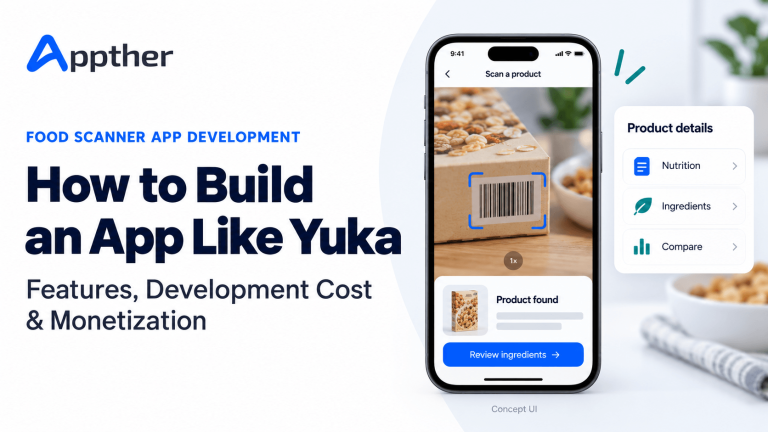
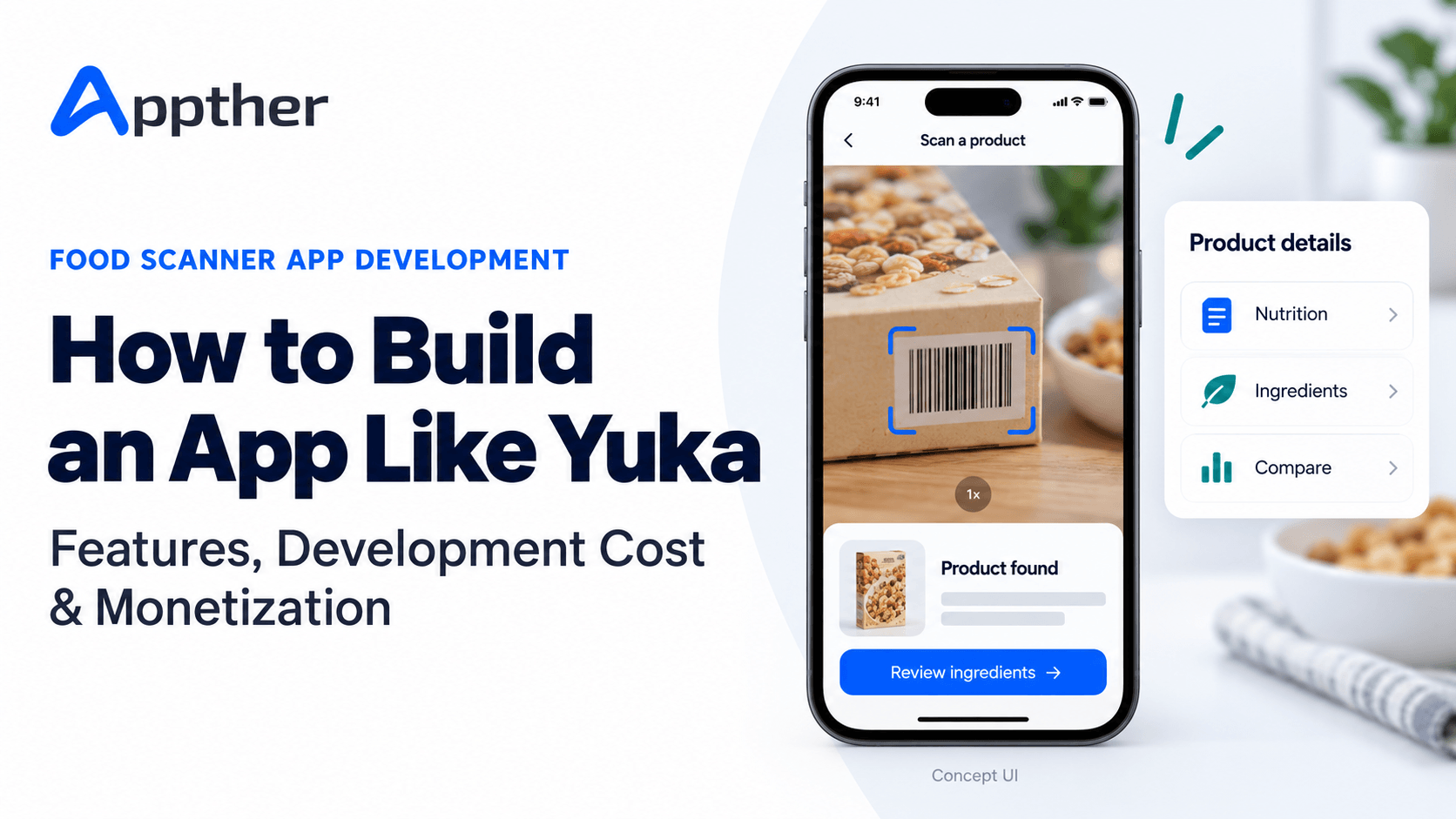
A shopper picks up two cereal boxes. Both make similar promises on the packaging, but the ingredient lists and nutrition panels tell different stories. A product scanner app helps that shopper compare the information without spending several minutes reading each label.
That is the appeal of a product like Yuka: scan a barcode, identify the product, see an explanation and consider alternatives.
For founders, the opportunity involves much more than adding a camera screen to a mobile app. A dependable product needs a well-maintained database, a transparent evaluation method, useful recommendations and a process for fixing incorrect information.
This guide explains how to build an app like Yuka for the US market, what to include in the first version, how to estimate development costs and which monetization models fit a product built around consumer trust.
A focused food scanner MVP could require approximately 1,200–1,800 development hours. At an assumed blended delivery rate of $30–$50 per hour, that produces an illustrative budget of $36,000–$90,000. This covers a defined software scope, not a full reproduction of Yuka or the cost of building a comprehensive product database. A practical planning window is around 14–20 weeks with a small team working across parallel tasks.
These figures are planning assumptions, not an Appther quotation. Data licensing, specialist review and ongoing operations need separate budgets.
What Is Yuka, and How Does It Work?
Yuka is a consumer app that scans food and cosmetic products and presents ratings and ingredient information. It also suggests alternatives for products it rates poorly.
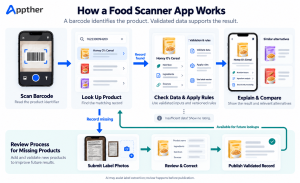
The underlying journey is simple:
- The user scans a product barcode.
- The app looks up the matching product record.
- It presents the available product information and rating.
- The user explores the explanation or compares alternatives.
A barcode is an identifier. It does not contain the full ingredient list or nutritional profile. The usefulness of the result depends on the database behind the app.
There is also an important distinction between product categories. Packaged food and cosmetics require different information and evaluation methods. A food-first product is a more manageable starting point than launching both categories together.
In this article, “an app like Yuka” means an independently designed product scanner with its own identity, data arrangements and evaluation methodology. It does not mean copying Yuka’s branding, interface, database or proprietary content.
Choose a Specific US Shopping Problem First
“Scan everything” sounds attractive in a pitch. It creates a large operational commitment before the product has demonstrated repeat use.
Start by choosing the shopping decision you want to support. Examples include comparing packaged snacks, understanding ingredient lists or finding similar products that meet a shopper’s stated preferences.
A useful initial product statement might be:
Help US grocery shoppers compare packaged foods using clear nutrition information, explainable ratings and relevant alternatives.
This gives the team a concrete scope. It identifies the market, product category and primary action. It also gives you something testable: can a shopper scan an item, understand the result and make a useful comparison?
Before committing to a large build, test a representative basket of products from the stores your intended users visit. Include national brands, private-label products, different package sizes and recently introduced items. Measure how often your proposed data sources return complete, correct records.
A beautiful interface will not compensate for frequent “product not found” results.
Essential Features for a Food Scanner MVP
1. Fast barcode scanning and manual lookup
The scanning screen should open quickly and work with the barcode formats used by your target products. Include a flashlight, clear camera guidance and a manual barcode entry option.
Test reflective packaging, curved containers, low light and damaged labels. Avoid repeated scans triggering duplicate requests while the user is holding the camera still.
The result should confirm the product name, package size and image so the shopper can recognize a mismatch immediately.
2. A readable product detail page
Make the first screen useful without requiring several taps. Display product identity, rating availability, key nutrition information, ingredients and the reason behind the assessment.
Use explicit units and clearly distinguish per-serving values from values standardized for comparison. If the product record is incomplete, show that state rather than filling the gaps with assumptions.
Include the information source and a last-reviewed or last-updated date where available. These details help users understand why the app might differ from a package in their hand.
3. Explainable ratings
A number is easy to display but difficult to defend without a published method.
Let users open the rating breakdown and see which factors influenced it. Explain exclusions, missing inputs and the method’s limitations. Do not present an app-generated rating as a government certification or a personalized medical recommendation.
Use both text and visual indicators. A user should understand the result without needing to distinguish red from green.
4. Relevant product alternatives
Recommendations should solve the same shopping problem as the scanned product. A different breakfast cereal may be useful; an unrelated high-scoring beverage usually is not.
Filter candidates by category and preferences before ranking them. Consider package size, price information and regional availability only when you have reliable data for those fields.
If availability is unknown, avoid claiming that an alternative is stocked in the user’s local store.
5. Scan history and saved products
History lets shoppers return to a previous result. Favorites and comparison lists help them plan their next visit.
Consider allowing the first scan without registration, with an account offered when someone wants to synchronize saved items. This keeps the initial interaction short while giving account creation a clear purpose.
6. Missing-product submissions and corrections
Treat missing products as a normal workflow. Let users submit the barcode, front-of-pack photo, ingredient label and nutrition panel.
Show that the submission is awaiting review. User contributions should not automatically become verified records or published ratings.
Provide a correction action for existing products as well. Recipes, labels and package sizes can change, and your database needs a way to catch up.
7. An admin and review portal
The admin portal is part of the core product. Reviewers need to inspect submissions, merge duplicates, resolve conflicting sources, update product fields and approve publication.
Record who changed a product, what changed and why. When a change affects a rating, retain enough history to investigate the result later.
Appther’s custom software development services are relevant to this operational side: the review workflows and backend tools that keep the consumer experience reliable.
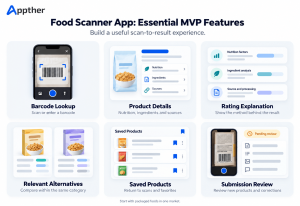
MVP priorities at a glance
| Include in the first release | Consider after validation |
|---|---|
| Barcode and manual lookup | Wider international coverage |
| Product details and rating explanation | Cosmetics analysis |
| Basic category-based alternatives | Retailer inventory integrations |
| Scan history and favorites | Household profiles |
| Missing-product submissions | Broader offline catalog access |
| Admin review and audit history | Advanced personalization |
| One premium plan, if testing paid demand | B2B dashboards and partner APIs |
Where Will the Product Data Come From?
This decision should happen before the main development phase. Data access affects the scope, budget and claims the app can reasonably make.
Open Food Facts
Open Food Facts provides an API that developers can use to access product information. Its documentation identifies licensing and reuse requirements, including the Open Database License.
Evaluate coverage and field completeness against your launch basket. Review the applicable terms for the database and images before deciding how to combine, store and redistribute information. Public access does not remove reuse obligations.
USDA FoodData Central
USDA FoodData Central provides food search and detail endpoints, including access to branded food information. Its documentation describes the data as public domain under CC0 and requests source attribution.
It is a potential nutrition data source, not a complete scoring engine or cosmetics database. Validate barcode matching and field availability for your intended catalog.
Licensed feeds and manufacturer submissions
Commercial providers and manufacturers may supply additional product records, label images or update feeds. Evaluate freshness, permitted uses, coverage and the practical process for resolving errors.
Receiving information from a manufacturer should not give that manufacturer control over an independent rating. Separate factual data submission from evaluation decisions.
Build a record of evidence, not just a product table
For each record, retain source identifiers, market, barcode, product version, relevant dates and review status. Keep conflicting values visible to reviewers instead of silently overwriting one source with another.
For example, if an uploaded label differs from an older provider record, the system should queue the difference for review. It should not assume either source is correct solely because it arrived last.
How to Design the Scoring System
Yuka publishes its own food-rating approach: nutritional quality contributes 60%, additives 30% and the organic dimension 10%. Its documentation also describes an override that caps the score at 49 when an additive it classifies as high risk is present. These are Yuka’s methodology choices, rather than a universal formula every scanner should adopt. Source: Yuka’s scoring explanation.
For your app, define the method with appropriate subject-matter input before turning it into code. Decide which categories are supported, which fields are mandatory and when the system should decline to rate a product.
Separate three things in the interface:
- Recorded facts: information transcribed or imported from identified sources.
- Calculated assessments: the result of your published rules.
- User preferences: whether a product matches a shopper’s selected interests.
This separation makes the result easier to explain. A preference match should not silently change a general product rating.
Version the scoring rules. If the method changes, you should be able to identify affected products, recalculate them and explain why an earlier result differs.
Most importantly, make “insufficient information” a valid outcome. Unknown data should not become a reassuring green badge.
Does a Yuka-Like App Need AI?
The main scanning flow can use barcode recognition, database lookup and a rules-based evaluation service. Generative AI is optional.
AI can be useful when processing new submissions: extracting text from label photos, suggesting ingredient normalization or drafting a plain-language explanation grounded in approved information.
Keep those suggestions separate from verified records. A model may misread a decimal, omit a line or infer a value that is not present on the package. Require validation before extracted information affects a published result.
For an initial release, invest first in reliable lookup, complete records and a clear review process. Add AI where it removes a measured bottleneck, such as reviewers repeatedly transcribing the same label fields.
Suggested Technical Architecture
For a focused MVP, a mobile app, modular backend and admin portal can be sufficient. There is no need to split every function into a separate service from day one.
| Component | Responsibility |
|---|---|
| iOS and Android app | Camera, lookup, results, history and account screens |
| Backend API | Authentication, product responses, permissions and subscriptions |
| Product database | Product records, sources, versions and review states |
| Evaluation module | Versioned rules, calculations and rating explanations |
| Recommendation module | Category filtering and alternative ranking |
| Object storage | Label images and supporting submission files |
| Background workers | Imports, extraction jobs and bulk recalculation |
| Admin portal | Review, corrections, moderation and publishing |
| Monitoring | Errors, latency, failed lookups and processing queues |
A cross-platform mobile approach is worth evaluating if the first iOS and Android releases share the same experience. The choice should account for camera performance, accessibility, device testing and maintenance, alongside development speed.
Appther’s mobile app development services cover the mobile, backend and release work involved in this type of product.
Keep third-party credentials on the backend. Avoid making every repeat scan depend on a live call to an external provider: use an appropriately maintained local catalog or cache where the provider’s terms permit it.
How Much Does It Cost to Build an App Like Yuka?
The cost depends on the catalog, evaluation model and operating workflows as much as the visible screens.
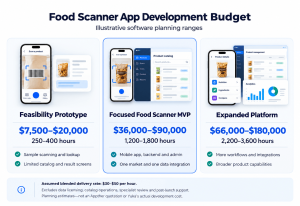
The following estimates use an assumed blended delivery rate of $30–$50 per hour. They are illustrative planning ranges for an outsourced delivery model, not market averages, actual Yuka development costs or a binding Appther price.
| Scope | Estimated effort | Illustrative software budget |
|---|---|---|
| Feasibility prototype | 250–400 hours | $7,500–$20,000 |
| Focused food scanner MVP | 1,200–1,800 hours | $36,000–$90,000 |
| Expanded consumer platform | 2,200–3,600 hours | $66,000–$180,000 |
The prototype tests sample scanning, product lookup and the result experience using a limited catalog. It is not ready for an unrestricted public launch.
The focused MVP assumes one market, English, packaged foods, a shared mobile codebase, one primary data integration, a defined rating method, basic alternatives, an admin portal and one premium subscription option.
The expanded range represents additional workflows and integrations. It does not imply a complete global catalog or parity with every feature of an established app.
Example MVP effort breakdown
| Workstream | Estimated hours |
|---|---|
| Discovery and data feasibility | 100–150 |
| UX and visual design | 120–180 |
| Mobile application | 300–450 |
| Backend, imports and evaluation | 300–450 |
| Admin and review tools | 140–210 |
| QA, release and delivery coordination | 240–360 |
| Total | 1,200–1,800 |
These estimates exclude purchased datasets, large-scale catalog cleanup, specialist methodology review, legal advice, marketing, taxes and post-launch support. They also exclude custom model training and extensive retailer integrations.
The best way to tighten the estimate is to test the data first. If a large share of your launch catalog needs manual correction, the project needs an operational budget in addition to its software budget.
Ongoing Costs After Launch
A scanner app needs continued maintenance of both software and information.
Plan for hosting, database capacity, image storage, monitoring, backups, external data access and customer support. If users submit photos, include extraction costs and reviewer time. Subscription revenue also needs to account for applicable payment or platform charges, refunds and taxes.
A useful monthly model is:
Operating cost = infrastructure + data access + processing + catalog review + support + maintenance.
Measure each component separately. For example, review cost can be estimated as the number of submissions multiplied by average review time and reviewer cost per hour.
This prevents a common budgeting mistake: assuming that low hosting costs mean the whole product is inexpensive to operate. Maintaining reliable product information may require more ongoing work than serving the scan results.
Monetization Options for a Product Scanner App
1. Freemium subscriptions
Keep basic scanning useful and charge for convenience or deeper organization: advanced search, comparison lists, selected offline access or additional personalization.
Yuka states that its Premium offering funds the project and lists search without scanning, offline scanning and preference-based alerts among its premium features. Source: Yuka financing information.
Your pricing should follow user research and operating costs. As an illustration only, an annual price of $29.99 with 2,000 paying subscribers produces $59,980 in gross annual billings before fees, refunds, taxes and operating expenses. It is not a revenue forecast or a recommended launch price.
Test whether people return to the product and use its premium benefits before projecting growth from download counts.
2. Household plans
A later release could offer shared shopping lists and separately managed preferences for adult household members. This adds account, consent and sharing complexity, so it is a better expansion feature than an automatic MVP requirement.
3. Business subscriptions
A separate professional product could offer catalog management or permitted data workflows for retailers and other organizations.
This requires clear data rights and a distinct commercial scope. Access to a consumer app’s external data source does not automatically give you permission to resell it through a business API.
4. Affiliate referrals
An app may earn referral revenue when users buy through participating retailers. This model needs clear disclosure and a firm separation between commercial relationships and rating decisions.
Apply relevance and evaluation criteria before introducing purchasing links. Otherwise, users may reasonably question whether an alternative was selected because it was useful or because it paid more.
What about paid ratings?
Avoid selling improved scores or allowing sponsorship to quietly affect independent assessments. The product’s value depends on shoppers believing the explanation. A short-term commercial gain can undermine that reason to use the app.
For a first release, one clearly explained premium plan is easier to test and operate than several competing revenue models.
Development Timeline and Launch Plan
A focused MVP can use a planning window of approximately 14–20 weeks, assuming data access and the evaluation method are agreed early.
| Phase | Indicative duration | Main output |
|---|---|---|
| Discovery and data validation | 2–3 weeks | Scope, sample catalog audit and methodology requirements |
| UX and interface design | 2–3 weeks | Tested scan-to-result prototype |
| App, backend and admin build | 7–10 weeks | Integrated release candidate |
| Beta, corrections and submission | 3–4 weeks | Tested build and launch readiness |
These are calendar estimates, not one person’s working hours. Several specialists can work in parallel. Vendor access, unresolved scoring decisions and store review can extend the schedule.
Start the beta with a narrower audience and catalog. Ask users to scan products during actual shopping trips. Observe poor connectivity, camera problems, confusing units and unexpected missing products.
The beta should reveal whether the app helps someone make a comparison without needing a lengthy explanation from the team.
What Should You Test Before Release?
Test the entire journey, including cases where the app cannot produce a confident answer.
- A valid barcode with no matching record.
- A matching product with an outdated label or different package size.
- Missing nutrition values or conflicting sources.
- A network interruption after the camera reads the barcode.
- A user correction that changes the rating.
- A duplicate submission already waiting for review.
- A subscription purchase interrupted before access is confirmed.
- Screen reader navigation and results that do not rely on color alone.
Maintain an approved reference set of products and expected calculations. When rules change, compare the new results with the previous version and investigate unexpected differences.
Protect reviewer permissions, account information and upload access. Collect only the personal information needed for the features you actually provide. If the product expands into individualized health recommendations, revisit its scope and claims with qualified specialists before launch.
Metrics That Help Improve the Product
Downloads are useful context, but they do not explain whether scanning works.
Track successful barcode reads, product match rate, usable-result rate, response time, repeat scanning, correction volume and review turnaround. Keep the denominators clear: a camera can read a barcode successfully even when no product record exists.
For monetization, follow premium conversion, renewal, cancellations and support requests. For recommendations, measure whether users open or save alternatives, alongside feedback about relevance.
These measures point to different fixes. Poor camera recognition needs technical attention; poor product coverage needs data work; low repeat use may mean the experience does not yet solve a frequent shopping problem.
Plan Your Food Scanner App With Appther
The right first step is a focused discovery phase: choose a shopping use case, audit a representative product sample, define the rating method and agree on a release scope.
Appther can help you plan the mobile experience and the backend workflows around it. Explore our mobile app development services for the consumer application and custom software development services for catalog, review and administration tools.
Have a food or ingredient scanner idea for the US market? Bring your target audience, sample products and initial feature list to the discussion. These inputs make the budget and roadmap more useful from the start.
Frequently Asked Questions
How much does it cost to develop an app like Yuka?
A focused food scanner MVP has an illustrative software budget of $36,000–$90,000 under this article’s assumptions: 1,200–1,800 hours at a blended rate of $30–$50 per hour. Data licensing, catalog operations, specialist review and ongoing support are separate. Your estimate should follow a defined scope and data audit.
How long does development take?
Allow approximately 14–20 weeks for the defined MVP with a small team. Data access, evaluation decisions and feedback during beta can change that timeline.
Can we launch with food scanning and add cosmetics later?
Yes. Plan shared capabilities such as accounts, scanning and submissions so they can support additional categories. Cosmetics still need their own data model, evidence sources and evaluation method; they are not simply another food category.
Can AI generate the product ratings?
For this product design, published ratings should come from documented, versioned rules applied to validated data. AI can assist extraction or explanations, but unverified model output should not determine the result.
Can a barcode reveal every ingredient?
No. The barcode identifies a record. The app needs another source for ingredients and nutrition information. If the record is missing, a submission and review process can help expand coverage.
Does a food scanner app need an admin panel?
Yes, for the MVP described here. Product corrections, source conflicts, submissions and rating updates all require operational tools. Leaving them out moves essential work into spreadsheets and manual database changes.
How can a scanner app make money without selling better ratings?
Premium subscriptions can charge for useful features such as advanced search, organization and offline access. Business offerings or clearly disclosed referrals may be additional options, provided the data rights and independence of assessments are protected.