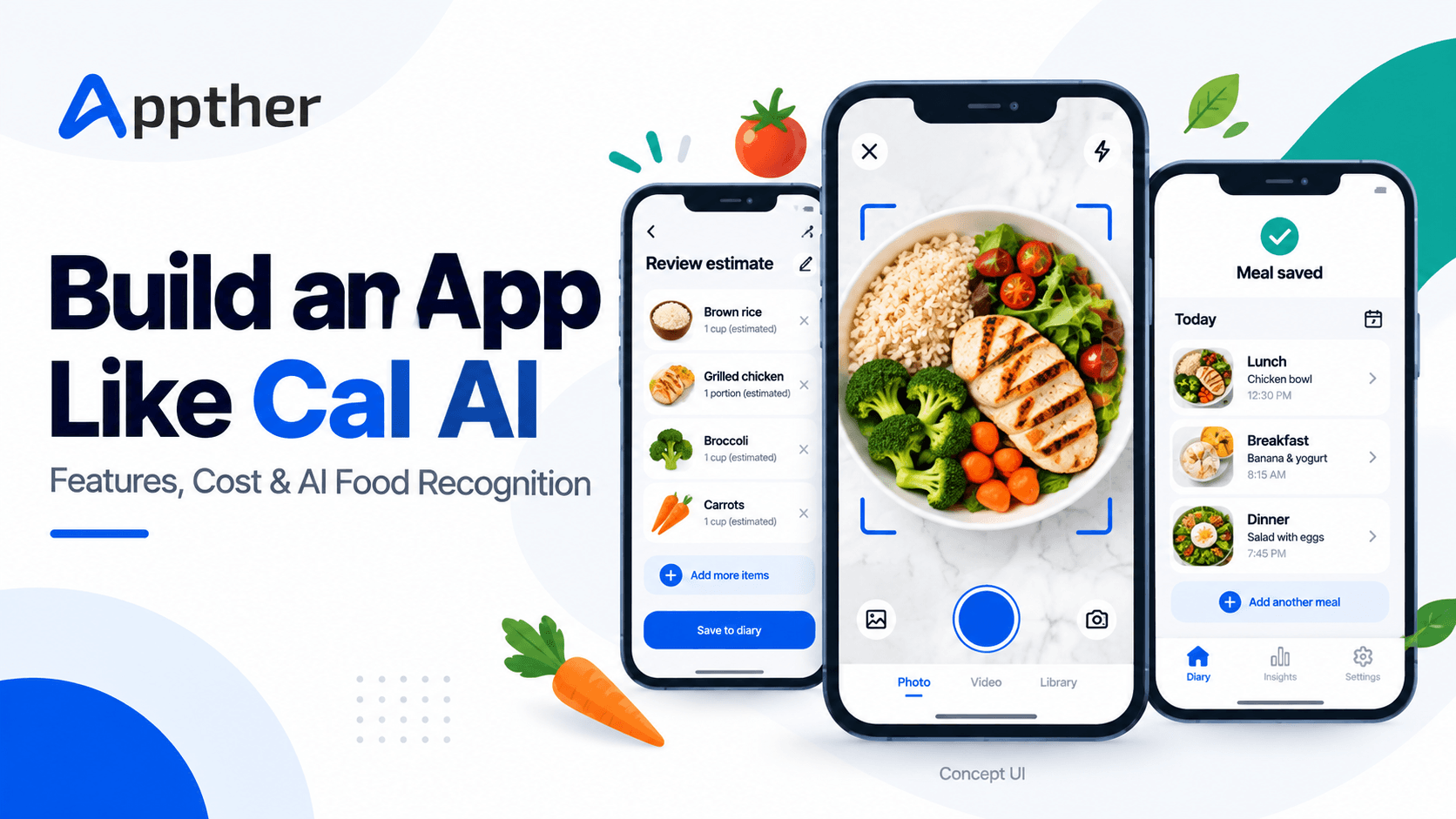
Logging lunch should not take longer than eating it.
Yet that is where many nutrition apps lose people. A user searches for chicken, chooses between several similar entries, guesses the serving size, adds rice, remembers the sauce and eventually decides to finish later. The food diary becomes incomplete before the week is over.
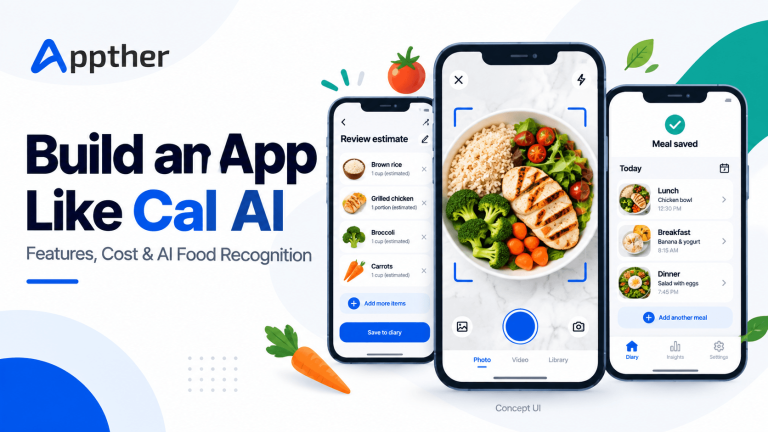
Photo-based tracking addresses that friction. Take a picture, review an estimate, make any necessary corrections and save the meal.
Cal AI has brought attention to this approach. Its official website describes meal logging through photos, barcodes and text descriptions, alongside calorie and macronutrient tracking. MyFitnessPal has also announced its acquisition of Cal AI, showing commercial interest in simpler nutrition tracking experiences.
For founders targeting the US market, the opportunity is to solve a specific tracking problem better: faster logging for busy professionals, useful meal records for fitness coaching, or better recognition of foods that existing products handle poorly.
This guide explains how to build an app like Cal AI, what belongs in the first release, how the AI workflow should operate and how to plan the development budget.
Quick answer: How do you build an app like Cal AI?
You need a mobile app, a secure backend, an image-capable AI model, a nutrition data source and a workflow that lets users confirm or correct food and portion estimates. Add a meal diary, subscription management, an admin panel and product analytics around that core experience.
For planning purposes, a focused MVP could take approximately 12–18 weeks with an experienced team working across design, mobile, backend, AI integration and testing. An illustrative budget is $30,000–$70,000 under the scope and rate assumptions explained below. These are planning estimates, not Cal AI’s actual development costs or an Appther quotation.
The proposed architecture in this article is for a new product. It does not describe Cal AI’s proprietary implementation.
Why this app category is worth exploring
The appeal is easy to understand: people want useful food information without entering every ingredient themselves.
However, demand for an existing app does not automatically create demand for a new one. A founder still needs an answer to a basic question: why would someone switch?
A promising answer usually comes from a clearly defined audience. Consider a strength-training community whose members repeatedly log similar meals. Their biggest need may be reliable protein tracking and saved portions. A coaching business may care more about client-approved meal summaries and reducing the time coaches spend reviewing diaries.
A useful validation exercise is to ask prospective users to demonstrate how they log an actual meal. Watch where they hesitate. Then test whether your proposed workflow removes those steps.
Appther’s mobile app development services can support the wider product work around that experience, from the app interface to its backend and launch preparation.
Choose your audience before choosing your features
“An AI calorie tracker for everyone” is difficult to position and expensive to market.
A narrower first audience gives you clearer decisions about food coverage, onboarding, language, pricing and distribution.
| Possible audience | Problem to investigate | Potential product focus |
|---|---|---|
| Busy professionals | Logging takes too much effort | Fast capture, recent meals and simple corrections |
| Fitness coaching clients | Coaches receive inconsistent meal records | Client-controlled sharing and coach summaries |
| Strength-training communities | Repeated meals are tedious to enter | Saved recipes, portion shortcuts and macro views |
| People eating varied regional cuisines | Search results do not match their meals | Better food coverage and ingredient clarification |
These are hypotheses to test through interviews and prototypes. A focused audience also helps create a representative set of meals for evaluating the AI.
Essential features for an AI calorie tracker MVP
A strong first release should complete one repeatable journey: capture a meal, review the result, save it and return to the diary later.
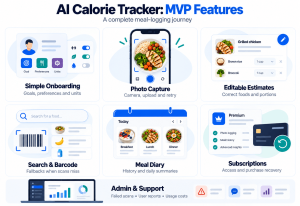
1. Short onboarding and editable preferences
Ask only for information needed to deliver the chosen experience. Explain why you need each field, support familiar US units alongside metric units, and let users update their preferences later.
Where the product generates nutrition targets, qualified nutrition review should be part of product development. Do not let an unrestricted chatbot invent targets or present a generic plan as individually appropriate.
2. Photo capture and upload
Make the camera easy to reach. Provide helpful feedback for an unclear image and allow users to choose a photo from their gallery.
A slow connection should not cause the meal to disappear. Show upload progress, preserve the draft and provide a retry option.
3. Editable food and portion estimates
The results screen is central to the product. Show the detected foods, estimated quantities and nutrition breakdown in a form users can understand.
They should be able to replace a food, change a portion, remove an incorrect ingredient or add something the camera could not see. Confirming the meal should be a clear action before it enters the diary.
4. Manual search and barcode lookup
Photo recognition will not cover every situation. Manual search provides an alternative when a meal is difficult to identify. Barcode lookup can help with packaged foods when the selected database contains the product.
Define the missing-product experience as well. A barcode scanner without useful fallback behavior simply creates another dead end.
5. Meal history and daily summaries
Provide a readable diary with meal timestamps, totals and the ability to edit past entries. Handle time zones deliberately so a late dinner does not unexpectedly appear on the following day.
Allow users to reuse a previous meal. Repeated meals are an opportunity to reduce work and avoid unnecessary AI requests.
6. Subscriptions and purchase recovery
If subscriptions are part of the launch, include entitlement checks, purchase restoration, clear renewal information and support for billing problems. The backend should determine access reliably across devices and sessions.
A successful payment followed by a locked feature can damage trust faster than a missing advanced feature.
7. Admin tools and support visibility
The team needs to investigate failed scans, review user-reported errors, monitor usage costs and manage access. Staff permissions should match the task; routine customer support should not require unrestricted access to personal meal photos.
Defer community feeds, elaborate rewards, extensive wearable integrations and open-ended AI coaching until the core logging experience proves useful.
How AI food recognition should work
Recognizing a food and estimating its calories are separate problems. A model may identify pasta while remaining uncertain about portion size, ingredients or cooking oil.
A practical implementation separates the workflow into six stages.
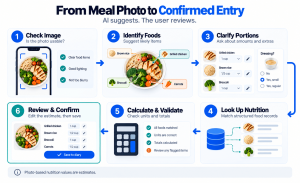
Step 1: Check the image
Validate the upload, check whether it is usable and prepare it for the selected model. If the image is too dark or does not show a meal clearly, ask for another photo before spending more time on analysis.
Step 2: Identify likely foods
Request structured food candidates from the vision model. The response should be constrained to fields the application can validate, rather than an unrestricted paragraph.
Keep uncertainty visible in the application logic. A plausible food name is not proof that the model identified it correctly.
Step 3: Resolve portions and hidden ingredients
Ask targeted questions when they meaningfully affect the estimate: Was dressing added? Was this a full serving? Did the user eat everything shown?
For difficult meals, a short clarification can be more useful than a confident number. The interface should make that clarification quick.
Step 4: Match foods to nutrition records
Use a structured nutrition source to retrieve nutrient values. The USDA FoodData Central API provides food-search and food-detail access that developers can incorporate into applications.
Database selection needs its own evaluation. Compare branded-food coverage, restaurant coverage, serving units, update processes and commercial terms. No single database should be assumed to contain every meal your audience eats.
Step 5: Calculate and validate the estimate
Once the food record and portion are selected, calculate nutrition values in backend code. Check missing fields, unit conversions and implausible outputs before displaying the result.
Store the data source and calculation version so the team can investigate a disputed result later.
Step 6: Let the user confirm
Present the meal as an estimate with editable assumptions. Save the confirmed record separately from the original machine suggestion.
This makes corrections possible and supports evaluation of how often the system needs help. Any reuse of user data for model improvement should follow the product’s consent and data-use choices.
Appther’s AI development services are relevant to this work: model integration, structured outputs, evaluation and production monitoring all matter beyond the initial demo.
A practical technology architecture
The best stack is one the team can operate and improve after launch. For a proposed MVP, the following is a reasonable starting point to assess.
| Component | Proposed approach | Purpose |
|---|---|---|
| Mobile application | React Native, with native modules where required | Shared product development across iOS and Android |
| Backend | Python or Node.js API service | Accounts, meal workflows, permissions and subscriptions |
| AI integration | Replaceable vision-model adapter | Compare providers without rewriting the product |
| Nutrition layer | Food database integration and calculation service | Consistent nutrient records and portion calculations |
| Application database | PostgreSQL | Users, confirmed meals, recipes and entitlements |
| Image storage | Private object storage with controlled access | Meal uploads and defined retention |
| Background processing | Job queue and workers | Analysis, retries and longer-running tasks |
| Monitoring | Error tracking, latency and cost metrics | Operational visibility |
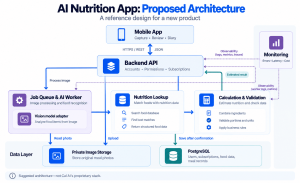
This is a suggested design, not a required combination. Compare implementation effort against the team’s experience and the prototype’s results.
If shared mobile development fits the scope, explore Appther’s React Native app development services. A native-first approach may be preferable when the product depends heavily on platform-specific camera or device capabilities.
Keep AI keys on the server. Assign a unique identifier to each meal-analysis job so retries do not create duplicate entries. Separate the upload, analysis and confirmation stages so users can recover when one stage fails.
How much does it cost to build an app like Cal AI?
The cost depends on what “like Cal AI” means in the project brief. A camera demo, a subscription MVP and a mature consumer platform are different commitments.
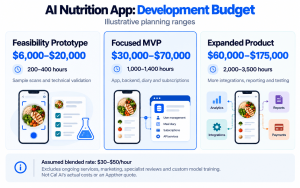
The following ranges are illustrative budget models. They use blended delivery rates of $30–$50 per hour and estimated team effort, including product work, design, development and QA. They are not measured US agency averages, published Appther prices or a quote for a specific project.
| Scope | Illustrative effort | Budget model | What it could cover |
|---|---|---|---|
| Feasibility prototype | 200–400 hours | $6,000–$20,000 | Limited screens, sample meal analysis and technical evaluation |
| Focused MVP | 1,000–1,400 hours | $30,000–$70,000 | Cross-platform app, backend, food lookup, editable scans, diary, basic subscriptions and admin tools |
| Expanded product | 2,000–3,500 hours | $60,000–$175,000 | Broader integrations, advanced recipes, richer reporting and more extensive testing |
The budget columns multiply the lowest effort by the lowest rate and the highest effort by the highest rate. Actual proposals depend on detailed scope, team composition and delivery requirements.
These ranges exclude paid acquisition, ongoing vendor charges, specialist legal or nutrition review, and custom model training or substantial dataset creation. Adding clinician workflows or complex coach permissions also changes the estimate.
The most useful way to control cost is to validate food-recognition quality before building the full interface around it. Discovering that your target meals are poorly supported late in development is expensive.
Monthly running costs: model usage before choosing a subscription price
An AI app has costs every time people use its paid services. Subscription pricing should account for active behavior, not just registered accounts.
Consider this illustrative scenario:
| Assumption | Value |
|---|---|
| Monthly active users | 5,000 |
| Average photo scans per active user per day | 2 |
| Days in the planning month | 30 |
| Monthly scan volume | 300,000 |
| Assumed effective AI cost per scan | $0.002–$0.02 |
| Illustrative monthly AI processing cost | $600–$6,000 |
The per-scan range is a sensitivity assumption, not a current provider rate. Replace it with tested costs that include the selected model, image size, response length, repeat attempts and follow-up calls.
Then budget separately for hosting, databases, image storage, nutrition data licensing, monitoring, support and applicable payment or app-store fees. Confirm current vendor pricing and store terms before finalizing the financial model.
Useful cost controls include reusing confirmed meals, avoiding duplicate analysis requests, setting appropriate image sizes and reserving more expensive processing for difficult cases. Measure cost per confirmed meal as well as cost per scan.
How long does development take?
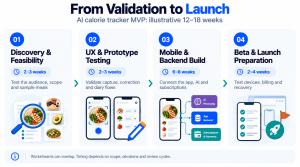
For the focused MVP described above, plan approximately 12–18 calendar weeks, with some activities overlapping.
| Workstream | Illustrative duration | Main output |
|---|---|---|
| Discovery and feasibility | 2–3 weeks | Audience, scope, meal dataset and AI evaluation |
| UX and prototype testing | 2–3 weeks | Tested capture, correction and diary flows |
| Mobile and backend development | 6–8 weeks | Working app, admin tools and integrations |
| Beta testing and launch preparation | 2–4 weeks | Device testing, billing verification and release candidate |
This assumes an experienced team working in parallel, timely decisions and no custom model research. App-store review and unexpected integration issues can extend the launch date.
Set milestone acceptance criteria early. “AI integration complete” is too vague. “Users can analyze, correct and save supported meals, including recovery from timeouts” gives the team something testable.
Test the meal estimate and the user experience separately
A compelling demo can still fail on ordinary dinners.
Create an evaluation set that reflects the intended audience: mixed dishes, packaged foods, small portions, multiple items, leftovers and imperfect lighting. For nutrition evaluation, use documented ingredients and measured portions where feasible, while acknowledging uncertainty in the reference data itself.
Track several dimensions:
- Whether the correct food is identified.
- How close portion estimates are to the reference quantities.
- How nutrient estimates differ from the reference calculations.
- How often users need to correct results.
- How long a confirmed meal takes to log.
- Whether failures recover cleanly without duplicate entries.
Do not collapse these into an unexplained “accuracy” percentage. Compare results by meal category and rerun the same evaluation after changes to models, prompts or databases.
Build trust into the product
Meal photos, weight records and personal goals deserve careful handling. Specify which data is collected, why it is needed, who can access it and when it is deleted. Give users understandable controls and keep unnecessary personal information out of analytics events and diagnostic logs.
Frame photo-based nutrition outputs as estimates. Avoid marketing promises of exact calorie measurement or guaranteed weight changes. If the product expands into clinical use, obtain a dedicated assessment of the resulting requirements before promising those capabilities.
Trust also depends on ordinary details: clear subscription terms, reliable account access, usable correction controls and support that can explain what went wrong.
How to differentiate and launch in the US
Launching another general calorie tracker creates a difficult acquisition challenge. Give a specific community a reason to try your product.
A coaching-led launch might begin with a small group of fitness professionals and their consenting clients. A cuisine-focused product might start with food creators who can test recognition on real dishes. A busy-professional product might emphasize saved lunches and quick corrections rather than adding more dashboards.
Use the beta to measure whether people return after the novelty of the first scan wears off. Track first-meal completion, seven-day retention, repeated logging, subscription conversion, cancellations and support issues. Set targets from pilot evidence rather than borrowing unsupported industry benchmarks.
Marketing should demonstrate the real experience, including how an estimate is corrected. Showing an honest, useful workflow gives prospective users a clearer expectation than a flawless-looking scan that the product cannot consistently reproduce.
Build your AI nutrition app with Appther
A photo-based nutrition product brings together mobile UX, AI integration, data quality, billing and ongoing operations. Getting those pieces to work together is what turns a concept into an app people can use every day.
Appther provides mobile application and AI development services. Explore our app and AI development portfolio, then bring us your intended audience, core workflow and launch priorities.
For an initial discussion, define the foods your app must support, the platforms you want to launch on and which features can wait. Those decisions make a development estimate more useful and a pilot easier to evaluate.
Frequently asked questions
Can I build an app like Cal AI without training my own AI model?
Yes. A first version can use an existing image-capable model, a structured nutrition database and a custom validation workflow. Evaluate that combination on representative meals before considering fine-tuning or a dedicated model.
Can a photo provide an exact calorie count?
A photo-based result should be treated as an estimate. The system may not know the full recipe, hidden ingredients or the quantity eaten. Editable portions and user clarification are important parts of the experience.
What should the first version include?
Start with photo logging, editable results, a food-search fallback, meal history, basic summaries and the operational tools needed to support users. Include subscriptions if they are part of the pilot business model.
Should I launch on iOS or both mobile platforms?
Choose based on evidence from your initial audience and acquisition channel. An iOS-first release narrows device testing, while cross-platform development can support a broader pilot. Both approaches still require backend, AI and subscription testing.
What is the biggest technical risk?
For this proposed product, an early risk to investigate is the gap between recognizing a dish and estimating its portion and ingredients reliably. Test that gap before committing to a large feature list.
How can I get a project-specific development estimate?
Prepare your target audience, feature priorities, supported platforms, food-data requirements and sample meals. Share them through Appther’s contact page to discuss the scope and delivery approach.