Case Study · PropTech · USA

Home inspections, from assignment to PDF report

An inspector app and an admin panel for a US home inspection business, with photo capture that keeps working offline.
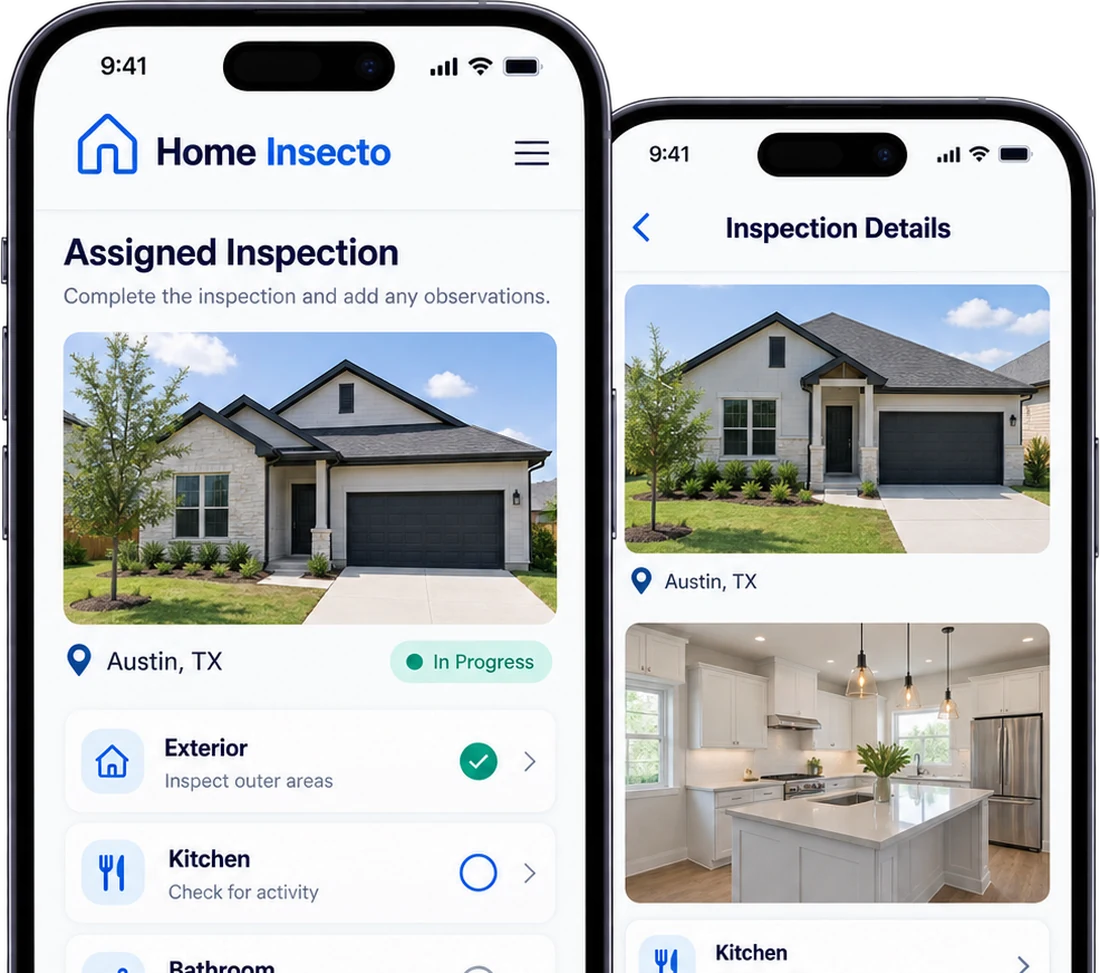
4-week build iOS, Android & Web Works offline
Home Insecto inspector app on two phones, showing an assigned inspection in Austin, Texas with its room-by-room checklist and the inspection detail screen
Report ready · PDF In the client's own format
4 wksKickoff to delivery
2 appsOne shared backend
OfflineCapture with no signal, sync later
PDFReports in the client's format
CLIENTEdwin
INDUSTRYHome Inspection
MARKETUnited States
TIMELINE4 weeks
PLATFORMiOS · Android · Web
01 · THE CHALLENGE

Paper checklists, phone calls and a camera roll full of guesswork

THE BRIEF

Edwin's team scheduled jobs by phone and text. Inspectors carried printed checklists, shot photos on personal phones and typed findings up back at the office, so reports took days, photos got matched to the wrong defect, and nobody in the office could see which job was done.

The goal: one system from assignment to a client-ready PDF, delivered in four weeks.

Assignment by phoneJobs handed out over calls and texts, with no single source of truth.
Photos without contextHundreds of images per home, matched to defects from memory.
Slow reportsFindings re-typed at the office, delaying buyers and agents.
Dead zones on siteBasements and crawl spaces with no signal meant lost or late data.
02 · THE SOLUTION

Two apps, one workflow, built around how inspectors actually work

Every inspection created in the panel lands on the right inspector's phone, and every photo and note from the field flows straight back, ready to review and send as a PDF.

Admin Panel

React JS · for the office
Create inspections with property, client, date and type Assign or reassign inspectors in one click Track every job's live status Review photos and findings, item by item Generate PDF reports in the client's own format

Inspector App

React Native · iOS & Android
Get notified the moment a job is assigned Navigate to the property with Google Location Work through a room-by-room checklist Capture photos and descriptions per item Keep working offline, data syncs when back online
THE INSPECTOR APP

Built for one-handed use in attics, crawl spaces and driveways

FULL HOME INSPECTION 1248 Maple Ave, Austin, TX 78704 Tue, Sep 22 · 10:30 AMClient: Sarah Whitman2,140 sq ft · Built 1998 Get directions Start inspection
Assignment detailsAddress, schedule and client info, with one-tap navigation to the property.
ROOF · 3 OF 9 Shingles & flashingSaved offline
CONDITION Good Needs repair Safety DESCRIPTION Lifted shingles on south slope near chimney. Flashing sealant cracked. Recommend roofer evaluation. Back Save & next
Photos and findings per itemPhotos are captured inside the checklist and saved on the device when there is no signal, then synced automatically.
REVIEW Ready to complete
Exterior12/12 Roof9/9 Electrical8/8 Plumbing7/7 HVAC5/5 Interior14/14 86 photos4 defects noted Complete inspection
Review and completeA section-by-section summary before submitting, so nothing is missed on site.
YOUR BUSINESS NEXT

Want an inspection app like Home Insecto?

Share your workflow and report format, and we will come back with a fixed-price proposal within 48 hours.

Book a Free Consultation
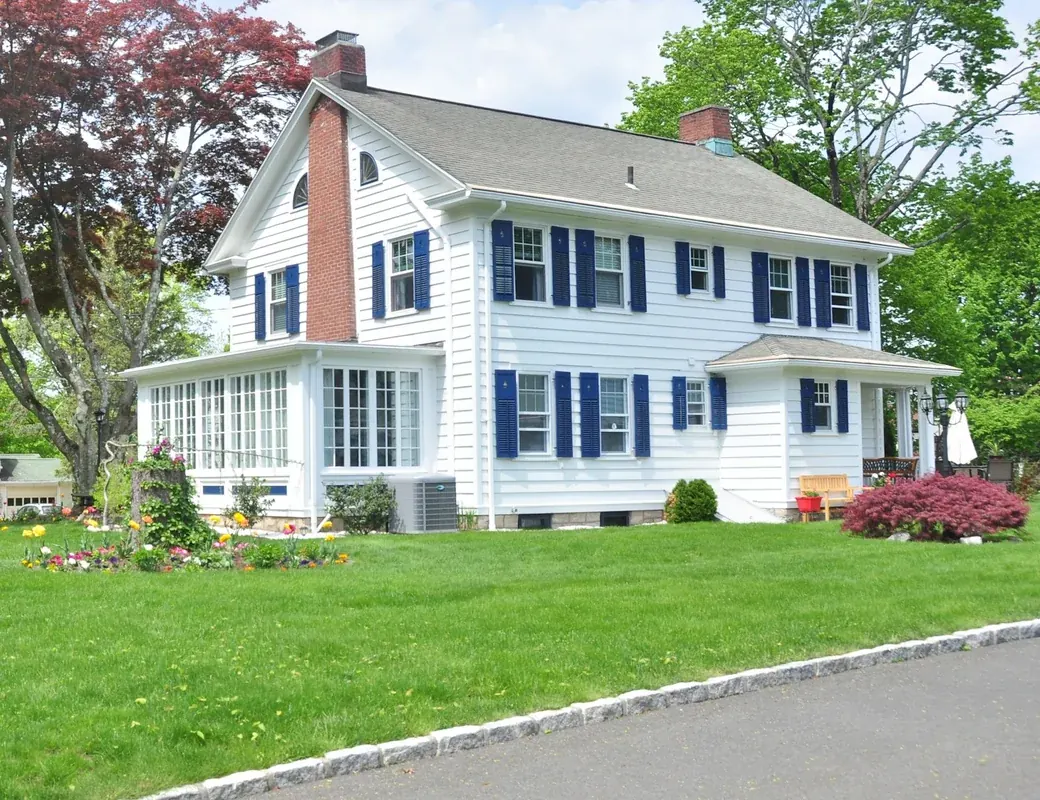
A two-storey American family home with blue shutters and a front lawn, the kind of property a Home Insecto inspection covers
THE ADMIN PANEL

The office stays in control of every job

Status tiles, filters and an inspection list with inline assignment keep schedulers out of spreadsheets and group chats.

Create & assignNew jobs reach the inspector's phone instantly.
Live statusAssigned, in progress and completed at a glance.
Review findingsEvery photo and note, grouped by checklist item.
One-click PDFReports generated in the client's own format.
admin.homeinsecto.com/inspections
Home Insecto DashboardInspectionsInspectorsPropertiesClientsChecklistsSettings
Inspections + New inspection
Scheduled today18
In progress6
Unassigned3
Completed this week64
PROPERTYTYPEDATEINSPECTORSTATUS
1248 Maple Ave, Austin TXFull homeTue, 10:30 AMJake MorrisIn progress
87 Birch Lane, Round Rock TXPre-listingTue, 1:00 PMJake MorrisAssigned
55 Willow St, Dallas TXRoof onlyTue, 2:15 PMAssign inspectorUnassigned
402 Cedar Ct, Pflugerville TXFull homeTue, 3:30 PMMaria LopezAssigned
19 Oak Ridge Dr, Austin TXNew buildTue, 8:00 AMMaria LopezCompleted
03 · HOW IT WORKS

From the office to the doorstep to a signed-off PDF

1CreateOffice staff create an inspection with address, client, date and type.ADMIN PANEL
2AssignThe job is assigned and a push notification reaches the inspector.ADMIN PANEL
3VisitThe inspector navigates to the property and starts the inspection.MOBILE APP
4InspectPhotos, condition and description for every checklist item, online or offline.MOBILE APP
5ReportThe job is completed and a PDF is generated in the client's format.BOTH
KEY FEATURES

Everything a field inspection team needs

Smart assignmentCreate and assign inspections from the panel; inspectors are notified the moment a job is theirs.
Structured checklistsSection-by-section checklists (roof, electrical, plumbing, HVAC and more) keep every inspection consistent.
In-app photo captureMultiple photos per item, attached to the exact finding they document.
Written findingsCondition ratings and descriptions recorded on site, not re-typed later at the office.
Live status trackingAssigned, in progress and completed states update in the panel as inspectors work.
Role-based accessJWT-secured sign-in; admins manage everything, inspectors only see jobs assigned to them.
Offline modeNo signal in the basement? Photos and findings save on the device and sync automatically once back online.
PDF reports, client formatCompleted inspections generate a PDF report in the client's own template, with photos and findings in place.
04 · THE BUILD

Four weeks from kickoff to launch

WEEK 1Discovery & designWorkflows, inspection checklists, report format and UI for both apps.
WEEK 2Backend & admin panelNode.js APIs, JWT auth, PostgreSQL schema, create-and-assign flow.
WEEK 3Inspector appPhoto capture, findings, offline storage and sync, push notifications.
WEEK 4Reports, QA & launchClient-format PDF generation, field testing and store release.
TECH STACK

What Home Insecto is built on

Every layer chosen for reliable capture in the field and fast delivery of photo-heavy reports.

React Native logoReact NativeInspector app · iOS & Android
React logoReact JSAdmin panel
Node.js logoNode.jsBackend & REST APIs
PostgreSQL logoPostgreSQLInspections, users & findings
JSON Web Tokens logoJSON Web TokensSecure authentication
Amazon Web Services logoAmazon Web ServicesHosting, S3 photo storage & CDN
Google Maps logoGoogle Maps PlatformAddresses & navigation
05 · WHAT CHANGED

The same inspection, without the paperwork trail

Six things the team used to do by hand, and what the two apps do instead.

BEFORE Phone calls, paper and a camera roll
  • Jobs handed out over calls and texts
  • Photos on personal phones, matched from memory
  • Findings re-typed back at the office
  • Reports assembled by hand over days
  • No signal in a basement meant lost data
  • The office could not see which job was done
AFTER One system, assignment to report
  • Assigned in the panel, on the phone in seconds
  • Every photo attached to the item it documents
  • Condition and description recorded on site, once
  • A PDF in the client’s own format on completion
  • Capture continues offline and syncs on return
  • Assigned, in progress and completed, live
MORE FIELD & MOBILE WORK Waste collection monitoring Warranty management system All case studies
FAQ

Questions inspection companies ask us

Something else? Write to info@appther.com.

Does the app work without internet?Yes. Inspectors keep capturing photos and findings offline; everything is saved on the device and syncs automatically when the connection returns.
Can the PDF match our existing report format?Yes. Reports are generated in the client's own format, with photos and findings placed exactly where they belong.
Does it run on both iPhone and Android?Yes. The inspector app is built in React Native, so one codebase ships to iOS and Android.
How do inspectors know about new jobs?Push notifications alert the inspector as soon as an inspection is assigned to them in the admin panel.
How long does a build like this take?Home Insecto went from kickoff to delivery in 4 weeks. Your timeline depends on scope, and we share a fixed plan after discovery.
Is our data secure?Access is protected with JWT authentication and role-based permissions, and photos are stored on AWS S3.
LET'S BUILD YOURS

Talk to us about your inspection app

Share your workflow, checklists and report format, and we will come back within one business day with an approach.

Clutch 4.9★ GoodFirms 4.9★ DesignRush 5.0★ Upwork 100% Job Success
Get a free consultation

Fields marked * are required. We reply within one business day, and your details are never shared.