Two systems to run
Accounting lives in Odoo while client fulfillment runs on a separate warehouse system, so every process and report spans both.
How we would move a third-party logistics provider’s multi-client warehouse, client integrations and service billing from a separate WMS into Odoo 18, without stopping the shipping dock.
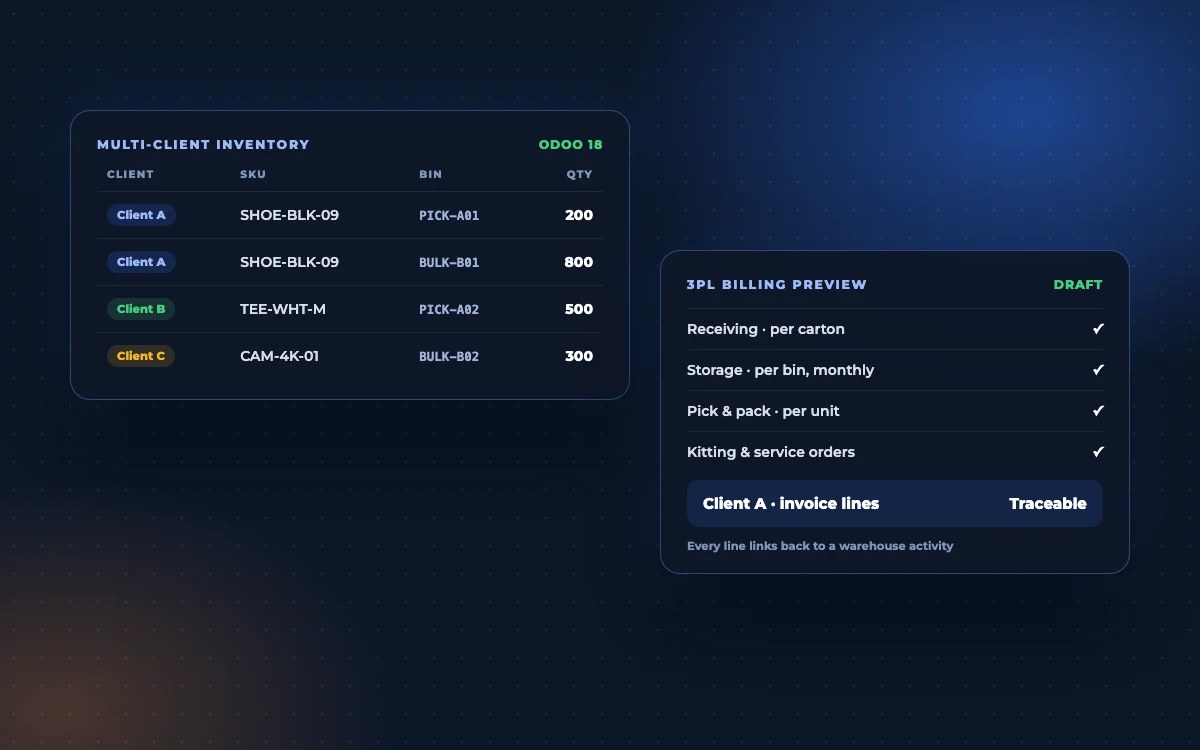
A fulfillment provider runs its own businesses on Odoo, while dozens of client accounts are fulfilled through a separate legacy WMS. Volumes run to hundreds of shipments a day, with seasonal peaks several times higher. The goal: one system, without losing a single client integration or billable activity.
Accounting lives in Odoo while client fulfillment runs on a separate warehouse system, so every process and report spans both.
Orders arrive by API, CSV, XML and EDI. Each connection has to keep working when the warehouse moves.
Receiving, storage, picks, packing and special handling are charged differently per client. Anything not captured is revenue lost.
Most of this is standard Odoo 18 Inventory and Barcode, configured for 3PL work. The client billing engine and some integrations are custom, and the fit-gap assessment draws that line precisely.
Inventory is owned per fulfillment client, so reservations, picks and reports never mix clients, even in shared bins.
MULTI-CLIENT INVENTORYPutaway rules suggest bulk or pick locations by product and capacity, and bulk-to-pick replenishment keeps pick faces full.
PUTAWAY & REPLENISHMENTAn integration layer validates and maps API, CSV, XML and EDI orders, blocks duplicates and retries failures.
ORDER INTEGRATIONUnit and case picking, batch processing, packaging and carrier labels, with tracking sent back to each client.
FULFILLMENTKit assembly, labeling, repacking, inspections and other work orders are created, done and recorded for billing.
KITTING & WORK ORDERSEach client’s rate card turns recorded warehouse activity into an itemised monthly invoice, traceable line by line.
3PL BILLINGStep through an illustrative cycle for Client A, an online shoe brand: stock in, order out, invoice at month end. Quantities are examples.
“1,000 pairs of shoes have arrived for Client A.”
The receipt is recorded against Client A with SKU, quantity and packaging. Putaway rules send 800 pairs to bulk storage and 200 to a pick location, and the receipt is logged as a billable event.
Client systems send orders their own way. Appther’s integration layer validates and maps them. Odoo 18 runs the warehouse and the books.
Each client keeps its own format
Reference architecture with illustrative order data. Carriers, add-on modules and each client’s integration method are confirmed during discovery.
Standard Odoo 18 wherever it fits, custom modules only where a 3PL needs something Odoo does not do out of the box.
Reference stack. Final modules are confirmed in the fit-gap assessment.
Send us your client list, integration methods and a month of billing. We will show you what Odoo 18 covers as standard, what needs building and how to migrate without stopping the dock.
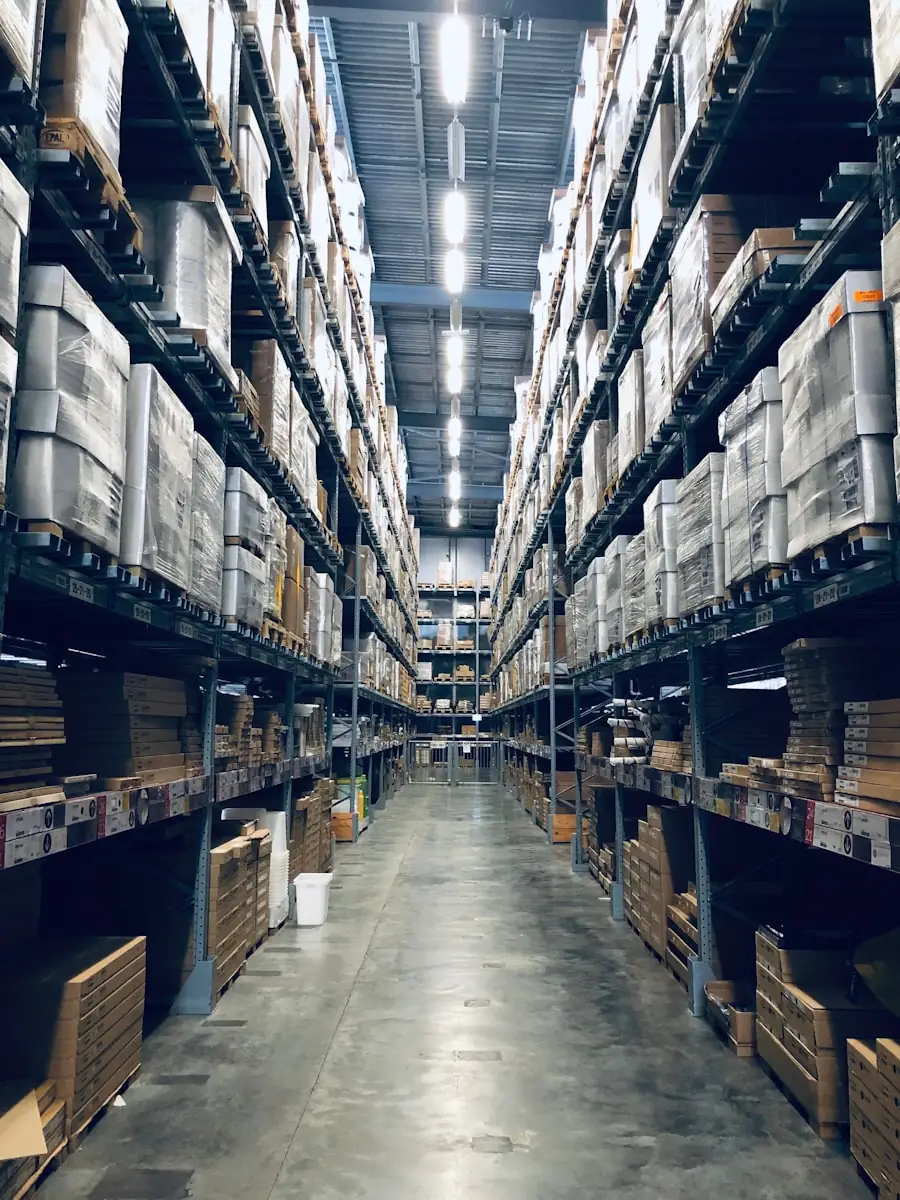
A 3PL lives or dies on two things: never mixing one client’s goods with another’s, and billing every activity it performs.
Talk through your billing rulesEvery receipt, move and pick carries the client it belongs to, so stock and reports stay separate.
Unique external references and idempotent imports stop the same order shipping twice.
Charges come from events captured as work happens, with previews before invoices are posted.
Stock is reconciled by client, SKU and location, and billing is compared with the old system first.
Migrations fail on the edge cases. These are settled before cutover, not during it.
Parallel running feels safe but risks both systems processing the same order. We define exactly which system owns each client’s orders on each day of the cutover.
The integration layer can accept their existing format and endpoint pattern, so the change happens on our side rather than theirs.
Order import, reservation, scanning and billing are load-tested at peak volume before go-live, not after.
Orders fulfilled from a client’s own warehouse are routed and tracked separately so they never mix with orders picked on site.
Baselines are taken from the current system before migration and measured again after, so the result is a comparison rather than a claim.
Does Odoo’s stock match the shelf, by client, SKU and location?
Cycle-count varianceDo orders from every channel arrive complete, once, and on time?
Imported vs receivedIs the right item, in the right quantity, leaving the building?
Errors per 1,000 picksDoes every billable activity reach the invoice, exactly once?
Compared with the old systemMeasurement framework shown above. This is a solution showcase; no client results are claimed.
Document current workflows, every client integration, billing rules and warehouse locations.
Fit-gap against Odoo 18: standard features, add-ons and custom modules, plus the billing design.
Run one representative client end to end, from receiving to invoice, and compare billing with the old system.
Move clients and integrations in phases, reconcile stock and cut over with an agreed rollback plan.
For many 3PL operations, yes. Odoo 18 Inventory handles multi-step receiving, putaway rules, replenishment, batch and wave picking, packaging and barcode scanning, and stock can be kept separate per client. The 3PL-specific parts, mainly activity-based client billing and some client integrations, usually need custom modules. A fit-gap assessment shows exactly where the line falls for your warehouse.
Each fulfillment client's inventory is tracked under its own ownership in Odoo, so reservations, picking, reports and billing only ever use that client's stock, even when it shares racks and bins with other clients.
Some will not: they may only need a new API endpoint or file location. Others may need changes to their own code. We build an integration register for every client connection (format, owner, frequency, security) and agree who changes what before migration starts.
Billable events such as receiving, storage, picks, packaging, kitting and service orders are recorded as the warehouse works. Each client’s rate card turns those events into a draft invoice for review, and every invoice line traces back to the activity that created it.
We start with a pilot client, reconcile stock by client, SKU and location, move integrations in controlled phases and agree a cutover and rollback plan up front, so the two systems never process the same order.
No. This page is a solution showcase: the approach we would take for a multi-client 3PL moving to Odoo 18, based on a real set of requirements with identifying details removed. Quantities and screens are illustrative.
Tell us how many fulfillment clients you run, how they send orders and how you bill them. An Odoo consultant replies within one business day.
info@appther.com ↗